
- Supporting studio operations since 1997 ✦
- Trusted by Top Hollywood Studios
Studio Operations Management Software
Run scheduling, production work, crew coordination, client requests, and day-to-day studio operations from one connected system. Studio Hero helps production teams reduce repeated admin, improve operational visibility, and keep the work behind every production organized.

Why Studio Operations Become Harder to Manage
Running a production studio means coordinating schedules, projects, crews, client requests, rooms, equipment, and resources at the same time. As more work comes in, those moving parts become harder to manage across separate systems.
When operational information is spread across calendars, spreadsheets, inboxes, and disconnected software, teams spend more time finding information, updating records, and coordinating work instead of moving productions forward.
- Disconnected studio systems
- Repeated data entry
- Scattered operational information
- Manual team coordination
- Limited operational visibility

Core Software for Studio Operations
Studio Scheduling
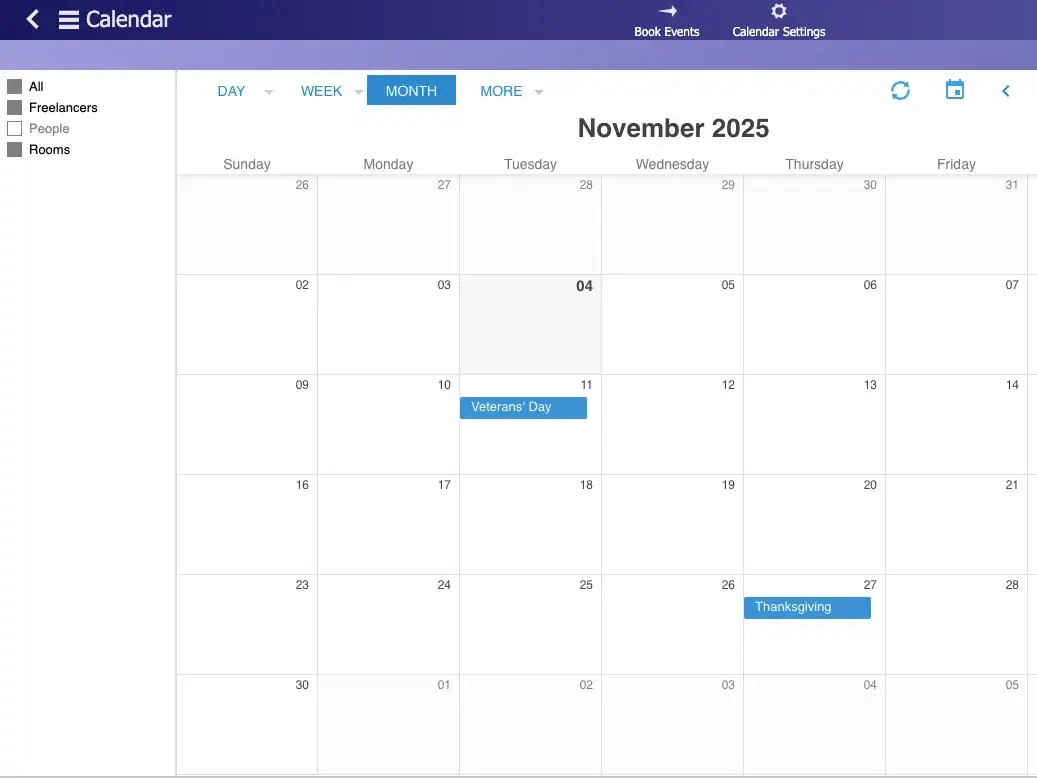
Schedule rooms, crew, equipment, services, and production work from one central system. Keep upcoming bookings and required resources visible while coordinating the moving parts behind each session or production.
Production Management
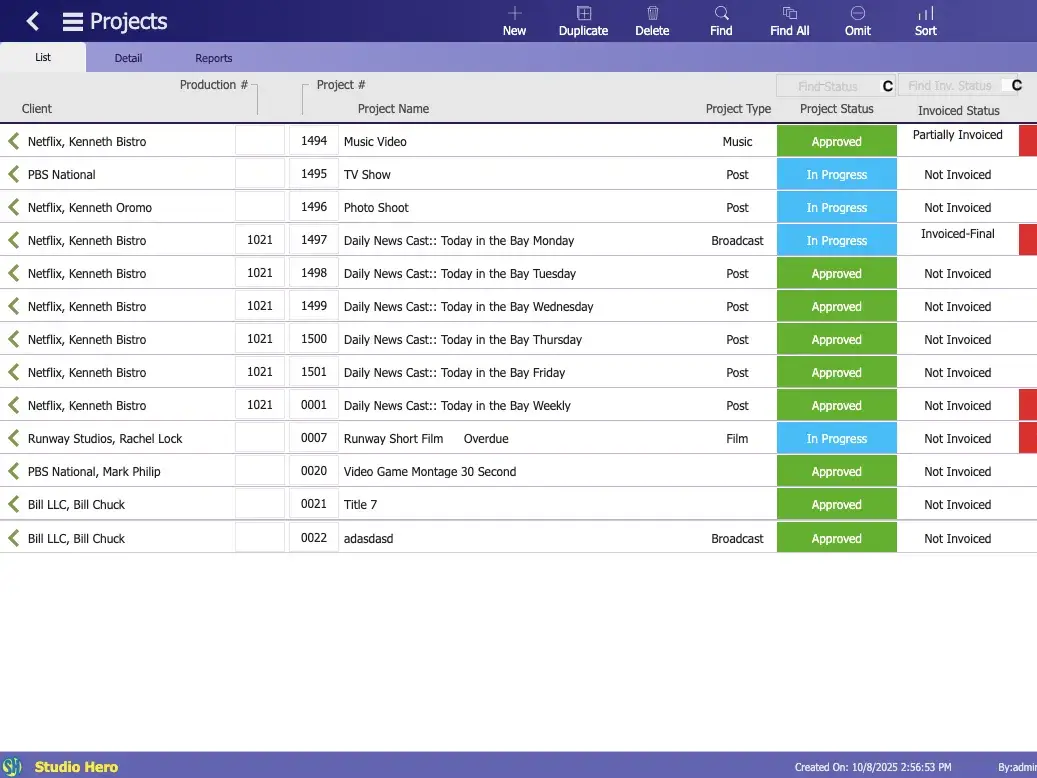
Organize Productions, Projects, Events / Sessions, tasks, deadlines, and production details in one place. Give your team a clearer view of active work and what needs to happen next.
Crew Management
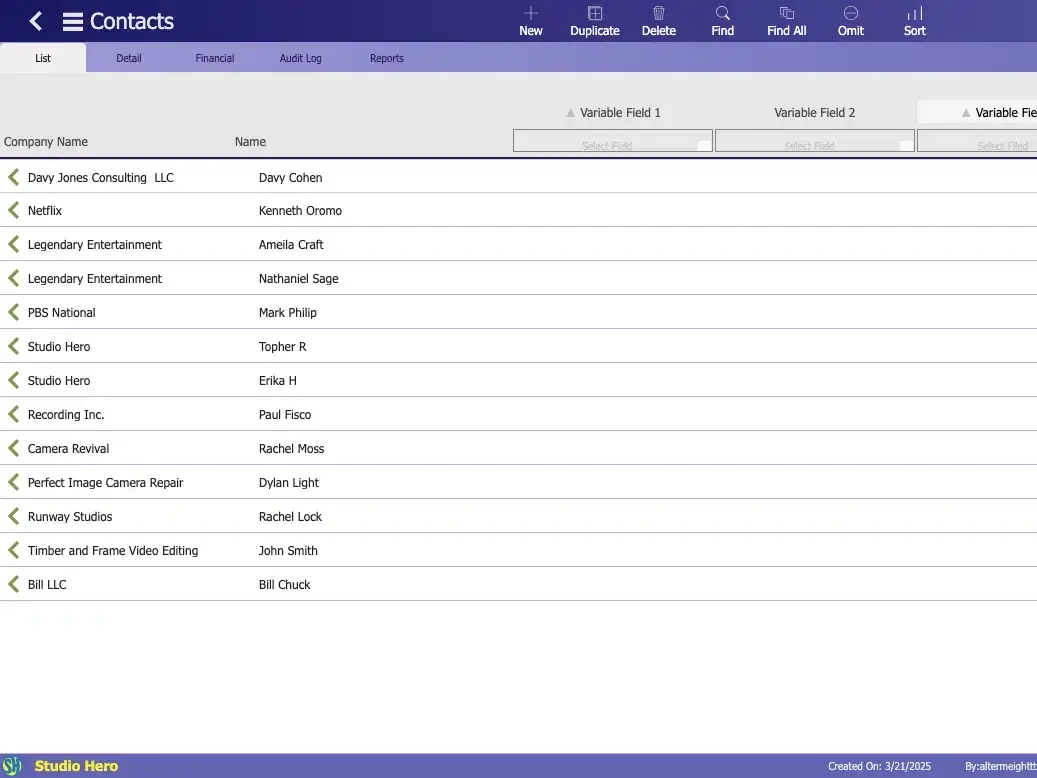
Manage employees and freelancers with their profiles, availability, schedules, assignments, rates, and working hours. Keep crew information connected to the production work they support.
Client Booking Portal
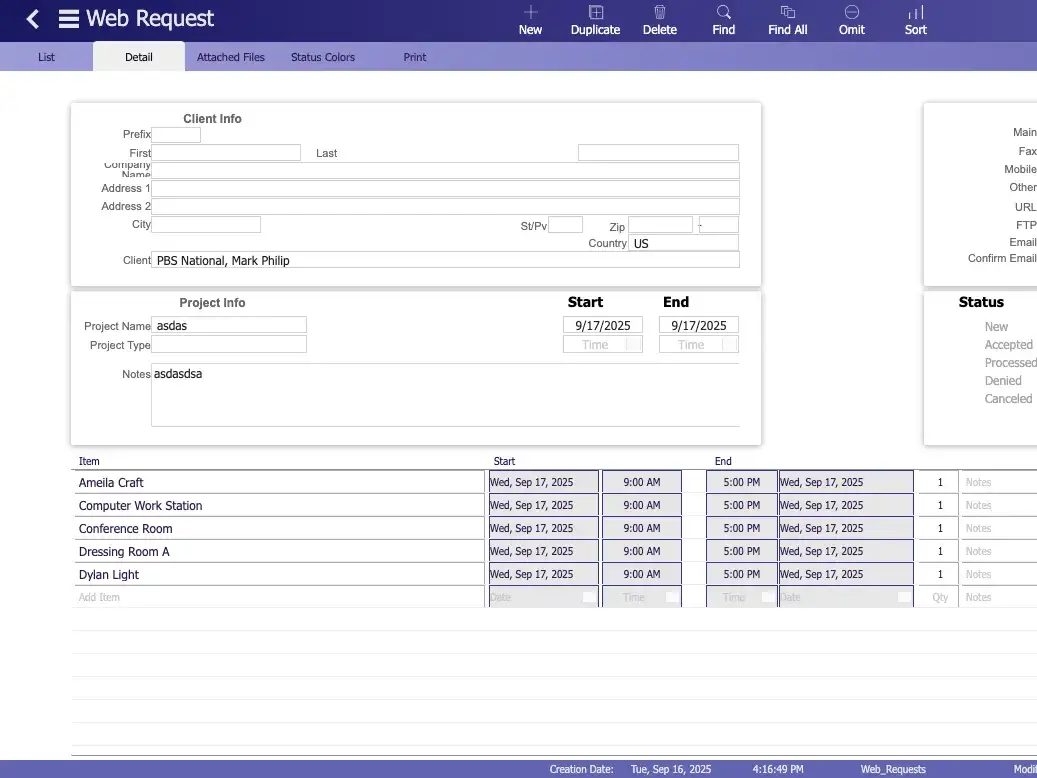
Give clients a structured way to submit booking and production requests with the information your team needs. Review requested dates, services, resources, and project details before moving the work forward.
Run Studio Operations From One Connected System
Scheduling, production management, crew management, and client requests each handle a different part of studio operations. Studio Hero brings those operational areas into the same environment so teams can work with shared information instead of maintaining the same details across separate systems. The result is less administrative work, clearer production context, and better visibility into the work moving through the studio.
Keep Work Connected
Keep client requests, schedules, projects, people, and resources associated with the production work they support.
Reduce Rework
Reuse existing client, project, resource, and production information instead of entering the same details across multiple systems.
Improve Visibility
Give studio managers a clearer view of active work, upcoming schedules, assigned people, and the resources behind each production.
Scale With Control
Handle more productions, clients, people, and resources without adding more disconnected tools to your operation.
See Studio Hero in a Working Production Studio
See how production teams use Studio Hero to organize the operational work behind their productions, from scheduling and project activity to crew coordination and studio resources.
Studio Operations Software vs. Disconnected Tools
Running studio operations across separate calendars, spreadsheets, inboxes, and point solutions creates more coordination work as the business grows. Studio operations software gives teams a more structured way to manage the core work behind productions without maintaining the same information across disconnected systems.
Disconnected Tools
Studio Hero
Check calendars, spreadsheets, inboxes, and separate tools to understand what is happening.
See scheduling, production, crew, and client activity within the same operating environment.
Recreate or match production information between unrelated systems.
Keep operational information associated with the production work it supports.
Maintain crew information separately from the work being scheduled and delivered.
Coordinate crew records, schedules, and assignments alongside studio activity.
Piece together requirements from emails, forms, messages, and other channels.
Collect structured client requests with the details teams need to review incoming work.
Spend more time transferring information and keeping separate systems aligned.
Update and review operational information without maintaining the same records across multiple tools.
Built for Production and Creative Operations
Studio Hero supports teams managing schedules, productions, people, resources, and day-to-day operations across different production environments.

Studio Operations Management FAQs
What is studio operations management software?
Studio operations management software helps production teams coordinate the day-to-day work behind a studio, including scheduling, productions, crew, client requests, and the resources required to deliver that work.
What can Studio Hero manage across studio operations?
Studio Hero provides dedicated tools for studio scheduling, production management, crew management, and client booking requests, giving teams a more organized way to manage the operational work behind productions.
How is studio operations management different from studio scheduling?
Studio scheduling focuses on when work happens and which rooms, people, equipment, and services are required. Studio operations management covers the broader operational environment around that schedule, including production work, crew coordination, and incoming client requests.
Who is Studio Hero built for?
Studio Hero supports film, video, recording, podcast, photography, broadcast, post-production, creative media, and equipment rental teams managing production operations.
Can Studio Hero help reduce reliance on spreadsheets and separate tools?
Yes. Studio Hero gives teams dedicated systems for core studio operations so information does not have to be managed entirely through separate spreadsheets, calendars, inboxes, and point solutions.
What should studio operations management software help teams manage?
Studio operations software should help teams coordinate the operational work around productions, including schedules, people, client requests, project activity, and the resources required to deliver work. The goal is to reduce fragmentation between the systems teams rely on every day.

Bring Your Studio Operations Into One System
See how Studio Hero can help your team coordinate scheduling, productions, crews, and client requests without managing the same work across separate systems.
