
- Supporting studio operations since 1997 ✦
- Trusted by Top Hollywood Studios
Studio Invoicing Software
Turn production work into clear, accurate invoices with project-linked billing, detailed line items, payments, aging, collections, and client statements in one invoicing workflow.

Turn Production Work Into Revenue Faster
Reduce billing admin, capture more of the work you deliver, and stay on top of outstanding invoices without relying on disconnected records.
Bill Faster
Move from completed production work to client billing without rebuilding project, rate, and charge details across separate systems.
Capture More Revenue
Bring rates, quantities, services, and billable production charges into the billing process so completed work is less likely to be missed.
Improve Cash Flow
See open, overdue, and outstanding balances clearly so your team knows where payment follow-up is needed.
How Studio Hero Handles Production Invoicing
Studio Hero carries billing information from production activity into the invoice and through payment, balance, and collection review.
Bring in Billable Work
Use Project, Event / Session, Resource, Service, and Rate information as the basis for invoice charges.

Build the Invoice
Organize invoice line items with quantities, rates, taxes, discounts, Client details, terms, and due dates.

Record Payments
Track deposits and payments against the correct invoice with payment method, reference, amount, and related Project information.

Manage Outstanding Balances
Review open and overdue invoices, aging, collection notices, and Client statements until the balance is resolved.

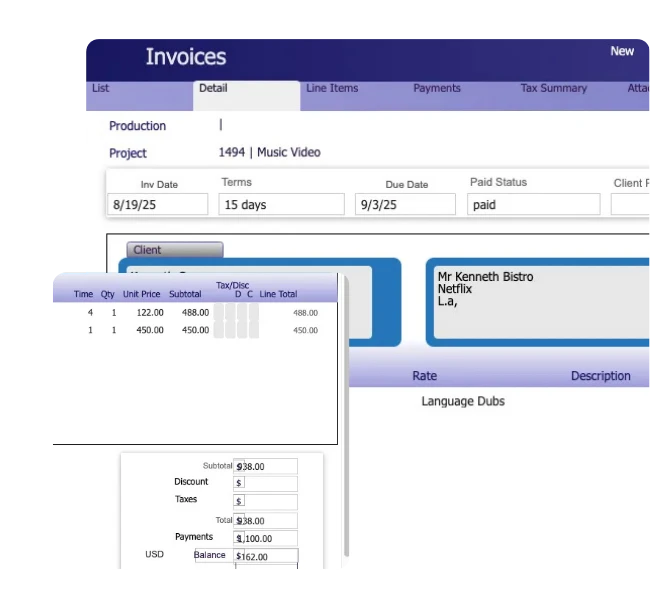
Build Invoices Around Production Projects
Keep billing tied to the production and Project behind the work, with the Client, purchase order, billing terms, dates, and invoice details organized in one record.
Connect Billing to Projects
Link each invoice to the relevant Production and Project so billing stays associated with the work being delivered.
Carry Client Billing Details
Include the Client, billing recipients, purchase order, invoice terms, due date, and other information required for the invoice.
Organize the Invoice Record
Manage invoice dates, notes, line items, taxes, discounts, totals, and other billing details from the same invoice.
Bill the Production Work Behind Each Invoice
Bring Event / Session activity and Resource or Service usage into the billing detail so charges stay connected to the work that generated them.
Bill Events and Sessions
Use Event / Session details, dates, time, rates, and related production information when organizing billable activity.
Account for Resources and Services
Include billable rooms, equipment, people, media, and services with the applicable time, quantity, and pricing information.
Preserve Billing Detail
Keep the Client, Project, Event / Session, item, rate, quantity, and charge information connected as production activity moves into invoicing.
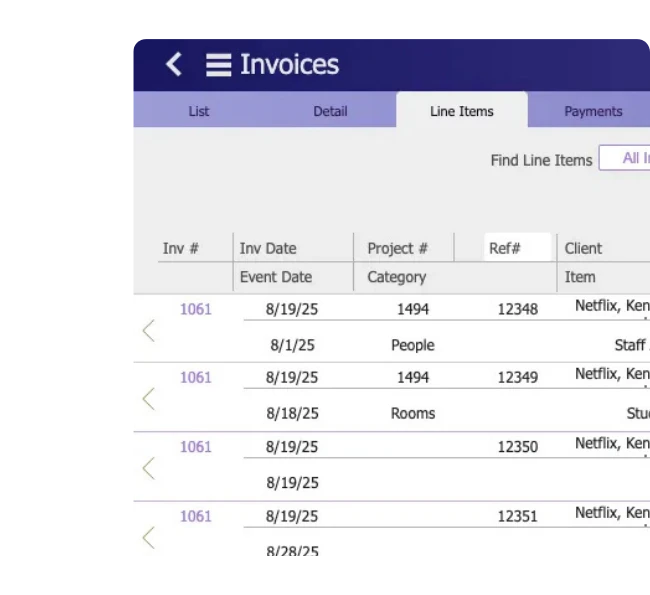
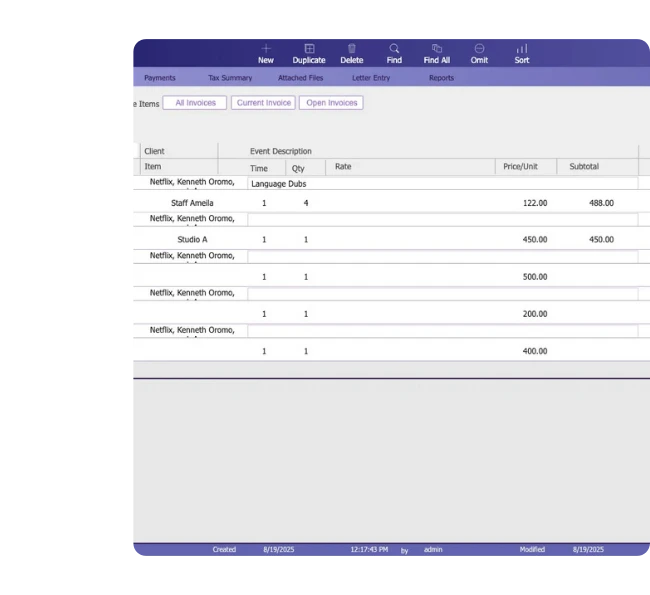
Control the Detail Behind Every Invoice
Keep the production charges behind each invoice organized at the line-item level, with the Project, Event / Session, item, time, quantity, rate, taxes, discounts, and totals connected to the billing record.
Organize Billable Line Items
Build invoice detail around the specific services, Resources, Events / Sessions, and production activity being billed.
Apply Rates and Adjustments
Use applicable rates, quantities, unit prices, taxes, and discounts to calculate each line item accurately.
Review the Billing Breakdown
See the financial detail behind the invoice before it moves through payment, balance, and collection review.
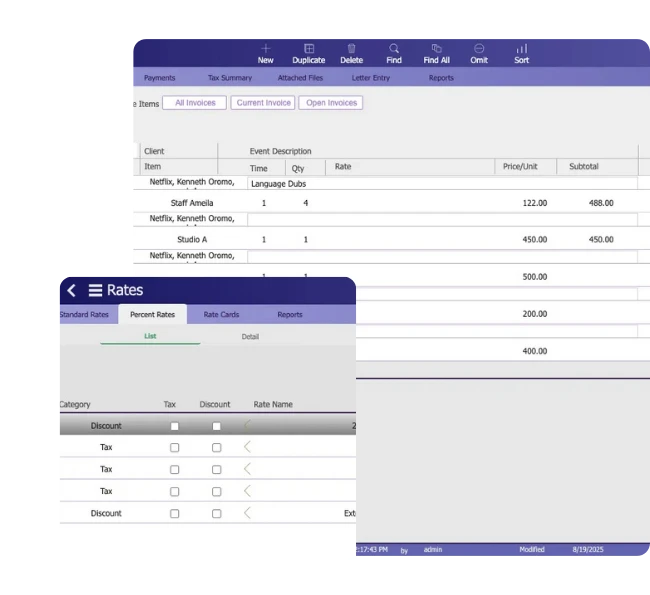
Apply Pricing Rules to Invoice Charges
Use established rates, client pricing, taxes, discounts, and supported overtime rules as production work moves into invoice line items.
Use Applicable Rates
Bring the relevant rate and unit of measure into billing based on the Resource, Service, Client, or production work being invoiced.
Apply Taxes and Discounts
Account for supported tax and discount rules when calculating individual invoice charges and totals.
Support Client Pricing
Use client-specific rates and applicable pricing rules when billing customers with different commercial terms.
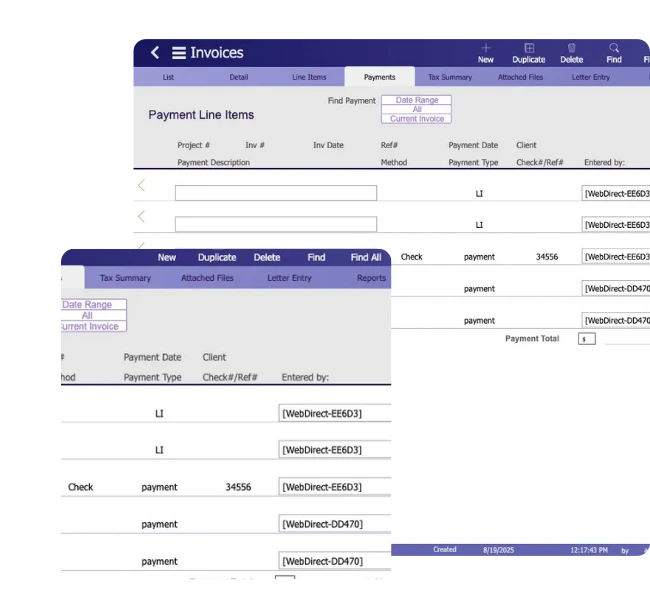
Track Payments Against the Right Invoice
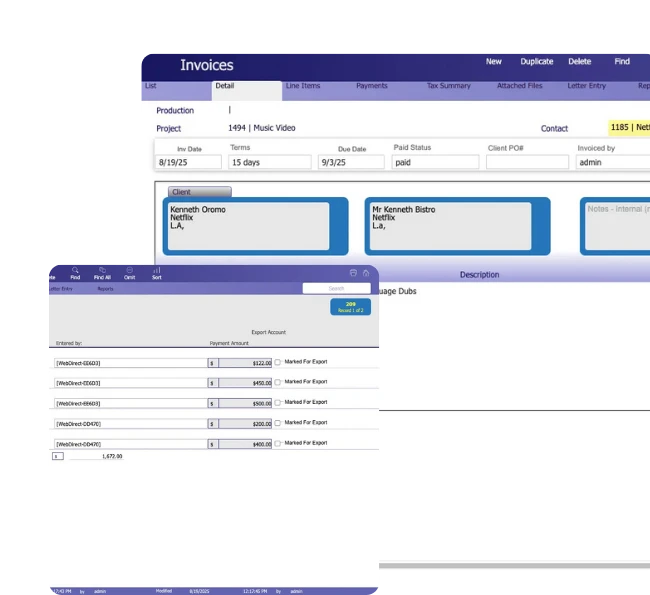
Record deposits and payments against the invoices and Projects they belong to so your team can see what has been paid and what remains outstanding.
Record Payment Details
Capture the payment date, method, type, reference or check number, amount, and the person who entered the transaction.
Connect Payments to Invoices
Keep each payment associated with the correct invoice and related Project for clearer payment history, invoice review, and balance tracking.
Prepare Payments for Accounting
Use export accounts and export status controls to organize recorded payments for the wider accounting workflow.
Stay on Top of Outstanding Invoices
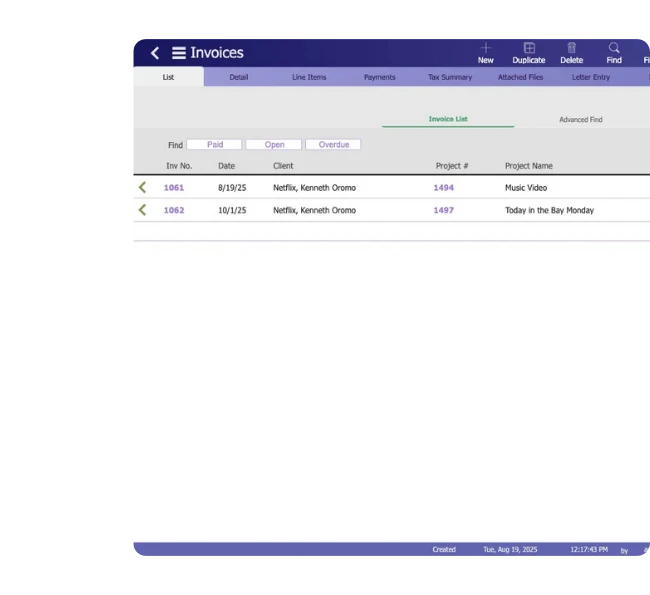
Manage accounts receivable with a clear view of paid, open, and overdue invoices, due dates, balances, and aging information.
Review Invoice Status
Separate paid, open, and overdue invoices so your team can quickly see which balances still need attention.
Monitor Aging and Balances
Use due dates, invoice balances, and aging information to understand how long receivables have remained outstanding.
Prioritize Collection Follow-Up
Identify unpaid and overdue invoices that need attention before moving into collection notices and client statements.
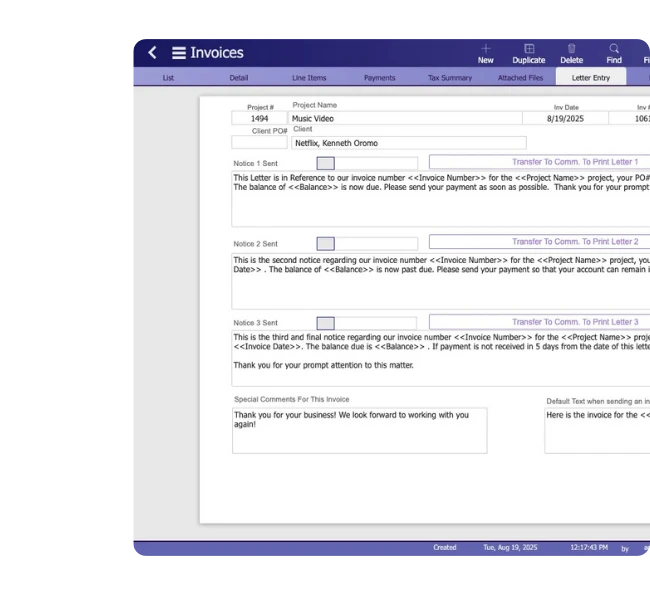
Manage Overdue Invoice Follow-Up
Use structured invoice collection notices to follow up on unpaid balances while keeping the Client, Project, invoice date, purchase order, and outstanding amount tied to the communication.
Use Tiered Collection Notices
Work with first, second, and final notices as overdue invoices move through the collection process.
Carry Invoice Details Forward
Bring invoice, Project, Client purchase order, date, and balance information into each notice so follow-up stays connected to the correct billing record.
Track Collection Activity
See whether a notice has been sent, then print, email, reset, or carry the follow-up into invoice comments as needed.
Give Clients a Clear View of Their Account
Prepare client statements that bring paid invoices, open balances, and credits together for clearer billing review and account follow-up.
Review Open Balances
Focus statements on open invoices and outstanding amounts when reviewing what a Client still owes.
Include Paid Invoices
Use paid invoice information alongside open balances when a broader Client account view is needed.
Handle Credits Clearly
Prepare statements for open invoices with credits or credit-only balances so account adjustments remain visible.
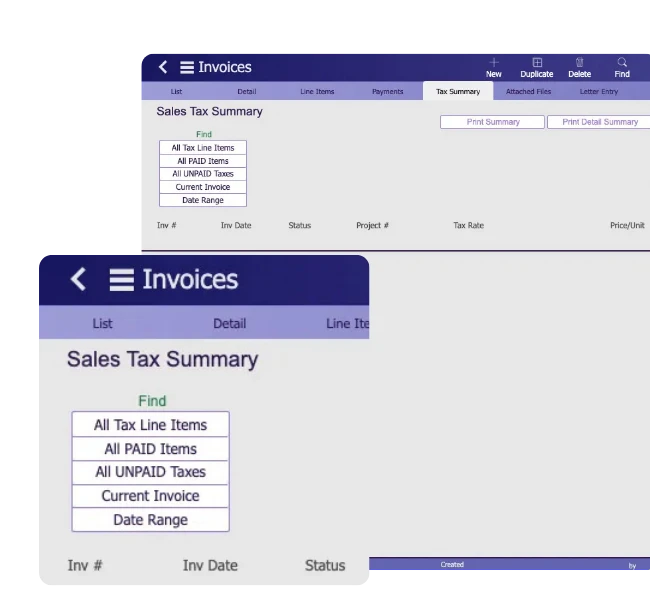
Review Tax Activity Across Invoices
See tax amounts across paid and unpaid invoices, with the Project, tax rate, invoice status, and payment information needed for financial review.
Separate Paid and Unpaid Tax
Review tax attached to paid and unpaid invoice activity so outstanding tax amounts remain easier to identify.
Focus on Relevant Activity
Use the current invoice or a selected date range to narrow tax review to the billing records that matter.
Prepare Tax Summaries
Produce summary or detailed tax reports with invoice dates, Projects, tax rates, taxable amounts, tax values, and payment status.
Connect Invoicing With Your Accounting Workflow
Keep invoice currency and accounting information connected to the billing workflow, with support for QuickBooks, Xero, and accounting exports.
Record Invoice Currency
Maintain the applicable currency on each invoice so billing records reflect how the Client is being charged.
Connect QuickBooks and Xero
Connect Studio Hero invoicing with QuickBooks and Xero to reduce duplicate financial entry between your production and accounting workflows.
Prepare Accounting Exports
Use export accounts and export status controls to organize invoice and payment records for accounting.
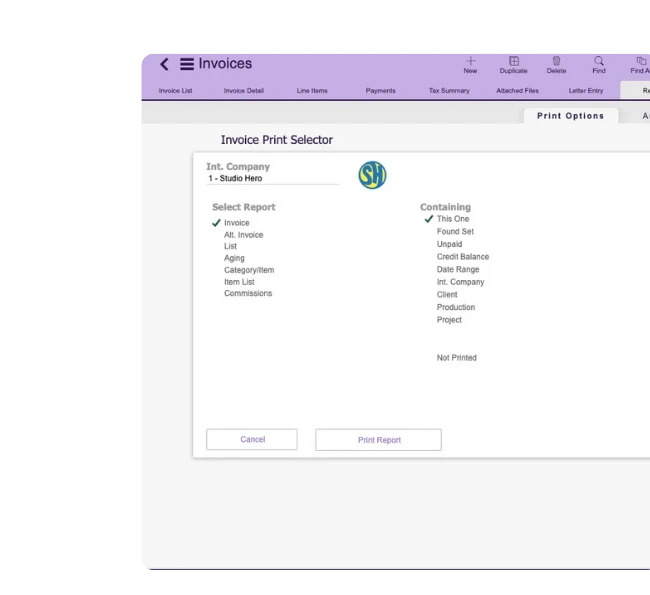
Review Invoicing Activity Through Reports
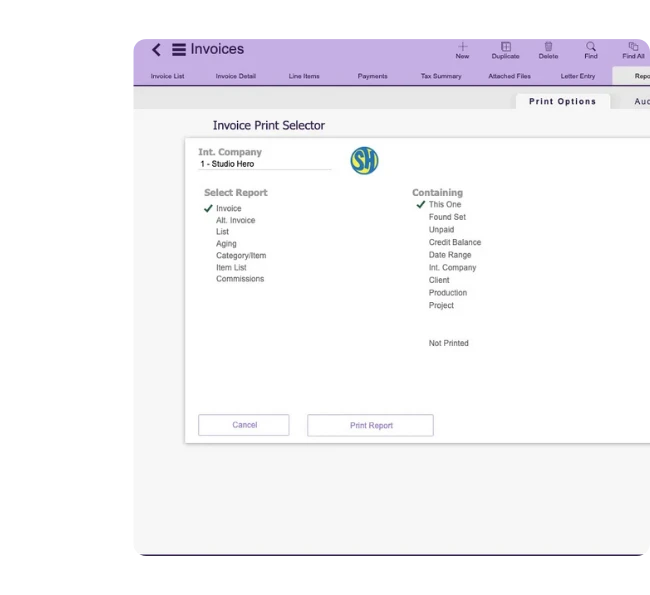
Use invoice reports to examine billing activity by Client, Production, Project, date range, payment status, aging, and other supported financial views.
Review Invoice Activity
Generate invoice lists and billing reports for current records, selected groups, unpaid invoices, credit balances, and other supported invoice sets.
Examine Billing Detail
Review invoice categories, line items, aging, commissions, and other financial information when deeper billing analysis is needed.
Focus Reports by Production
Use Client, Production, Project, company, and date filters to narrow reporting to the invoicing activity that matters.
See How Studios Run Connected Production Operations
See how production studios use Studio Hero as a long-term system for managing the operational and financial information behind their work.
Studio Invoicing Software vs. Spreadsheets
Studio invoicing software gives production teams a more structured way to manage billing, payments, outstanding balances, and collections than maintaining the same information across separate spreadsheets.
Invoicing Spreadsheets
Studio Hero Invoicing
Production and billing records maintained separately
Invoices stay connected to the Production, Project, Client, and related billing activity
Billable work rebuilt manually before invoicing
Project, Event / Session, Resource, Service, rate, time, and quantity information can remain connected to invoice line items
Rates, taxes, and discounts maintained across separate files
Supported rates, taxes, discounts, and client pricing can feed the invoicing workflow
Payments tracked in another sheet
Payments remain associated with the correct invoice and Project
Outstanding balances reviewed manually
Paid, open, overdue, balance, due date, and aging information remain visible for receivables review
Collection follow-up managed separately
First, second, and final collection notices stay tied to the invoice and outstanding balance
Client statements assembled from multiple records
Paid, open, and credit-based statement views are available from the invoicing system
Billing reports require consolidating spreadsheet data
Invoice, aging, unpaid, credit balance, Client, Production, and Project reports can be reviewed from the same billing workflow
Studio Hero gives production teams a connected invoicing workflow for turning production activity into invoices, recording payments, reviewing accounts receivable, and following outstanding balances through collection.
Built for Production Teams That Need Better Billing Control
Studio Hero supports production companies that need to connect billable work, invoices, payments, outstanding balances, and collections across active production projects.

Frequently Asked Questions
1. What is studio invoicing software?
Studio invoicing software, also known as studio billing software, is built to help production teams turn billable production activity into invoices while managing line items, payments, outstanding balances, aging, collections, statements, and related billing records in one workflow.
2. How does Studio Hero support production invoicing?
Studio Hero works as production invoicing software by connecting invoices with the Production, Project, Client, rates, billable activity, line items, payments, balances, and collection information behind the work being billed.
3. Can Studio Hero link invoices to production Projects?
Yes. Invoices can remain connected to the relevant Production and Project, with Client information, purchase orders, billing terms, due dates, line items, taxes, discounts, totals, payments, and balances maintained within the billing record.
4. Can Events, Resources, and Services be included in billing?
Yes. Event / Session activity and Resource or Service usage can contribute billing information such as time, quantity, rates, items, and related production details to invoice line items.
5. Can Studio Hero track invoice payments?
Yes. Teams can record payments against the relevant invoice and Project with payment dates, methods, types, references, amounts, and other supported transaction information.
6. Does Studio Hero support accounts receivable and invoice aging?
Yes. Teams can review paid, open, and overdue invoices together with due dates, outstanding balances, and aging information to manage accounts receivable.
7. Can Studio Hero help manage overdue invoice collections?
Yes. Studio Hero supports first, second, and final invoice collection notices with invoice and Client information, outstanding balances, sent tracking, email, print, and reset controls.
8. Can Studio Hero generate client statements?
Yes. Client statements can be prepared for all invoices, paid invoices, open invoices, open invoices with credits, or credit-only balances.
9. Can Studio Hero be used as video production invoicing software?
Yes. Video production teams can keep Projects, Events / Sessions, Resources, Services, rates, invoice line items, payments, and outstanding balances connected as production work moves into client billing.
10. Does Studio Hero provide invoice tax reporting?
Yes. Teams can review paid and unpaid tax activity by invoice, Project, tax rate, date range, tax amount, and payment status, with summary and detailed reporting options.
11. Does Studio Hero integrate with QuickBooks and Xero?
Yes. Studio Hero supports QuickBooks and Xero within the wider accounting workflow, alongside invoice currency, export accounts, and accounting export controls.
12. Can Studio Hero report on invoicing activity?
Yes. Invoice reporting can cover invoice lists, aging, categories, items, commissions, unpaid invoices, credit balances, Clients, Productions, Projects, and date ranges.

Take Control of Production Invoicing
Manage invoices, payments, accounts receivable, collections, and client billing from one production-focused system.
