
- Supporting studio operations since 1997 ✦
- Trusted by Top Hollywood Studios
Client Booking Portal Software
Give clients a structured way to submit production booking requests with project details, requested resources, dates, times, quantities, and notes. Studio Hero brings each request into one workflow so your team can review requirements, respond to the client, and process approved work without rebuilding booking details from emails or separate forms.

Turn Client Inquiries Into Structured Booking Requests
Give clients a clearer way to submit what they need while giving your studio the information required to review, respond, and decide what happens next.
Capture Complete Requests
Collect client details, project information, requested resources, dates, times, quantities, and notes in one booking request instead of piecing requirements together across emails.
Reduce Booking Back-and-Forth
Use a structured request process so your team starts with the production details needed to evaluate the booking and respond more efficiently.
Move Requests Forward Faster
Review incoming requests, update their status, respond to the client, and process approved work into Studio Hero without re-entering the same booking information.
Move Booking Requests From Inquiry to Studio Workflow
Provide one place for clients to submit what they need, then give your team a clear path to review, respond, and process each request inside Studio Hero.
Submit the Request
Clients provide their contact and company details along with the project name, project type, and any notes needed to explain the booking.

Add Booking Requirements
Capture requested resources, quantities, requested start and end dates, start and end times, and item-specific notes with the request.

Review and Respond
Your team can review the request, update its status, and respond to the client as the booking moves through new, accepted, denied, canceled, or processed states.

Process the Request
Once the booking is ready to proceed, process the request inside Studio Hero so the submitted client, project, resource, and schedule details remain part of the connected studio workflow.

Client Booking Portal Capabilities
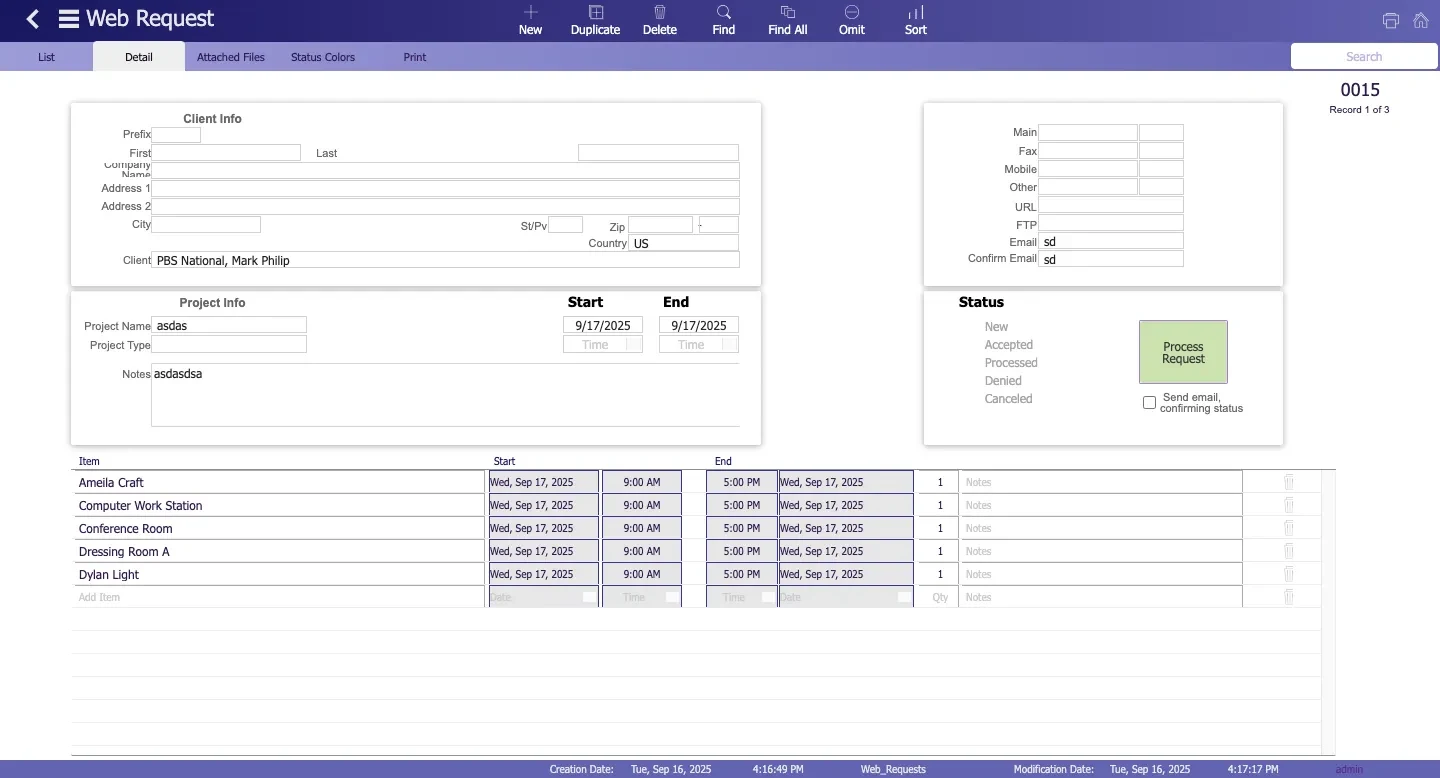
Capture Client and Project Requests in One Place
Give your studio a complete starting point for every inquiry by collecting the client, company, project, and booking details your team needs before work progresses.
Start With the Client
Capture the requester’s name, company, contact information, and email so each booking request begins with a clear client record.
Add Project Details
Include the project name, project type, and supporting notes so your team can understand what the client is requesting before reviewing resources or timing.
Keep Every Request Identifiable
Use request IDs, submission dates, and status information to distinguish incoming requests and make it easier for your team to follow each one through the booking process.
Collect Resource, Date, and Time Requirements Up Front
Give clients a structured way to explain what they need for the booking so your team can review the request with the required production details already attached.
Request the Right Resources
Let clients include the rooms, equipment, people, media, services, or other available resources needed for the job, along with the requested quantity.
Capture Booking Times
Record requested start and end dates and times with the request so timing stays connected to the resource requirements from the beginning.
Add Item-Specific Notes
Keep notes alongside individual requested resources when clients need to explain special requirements, quantities, or other booking details.
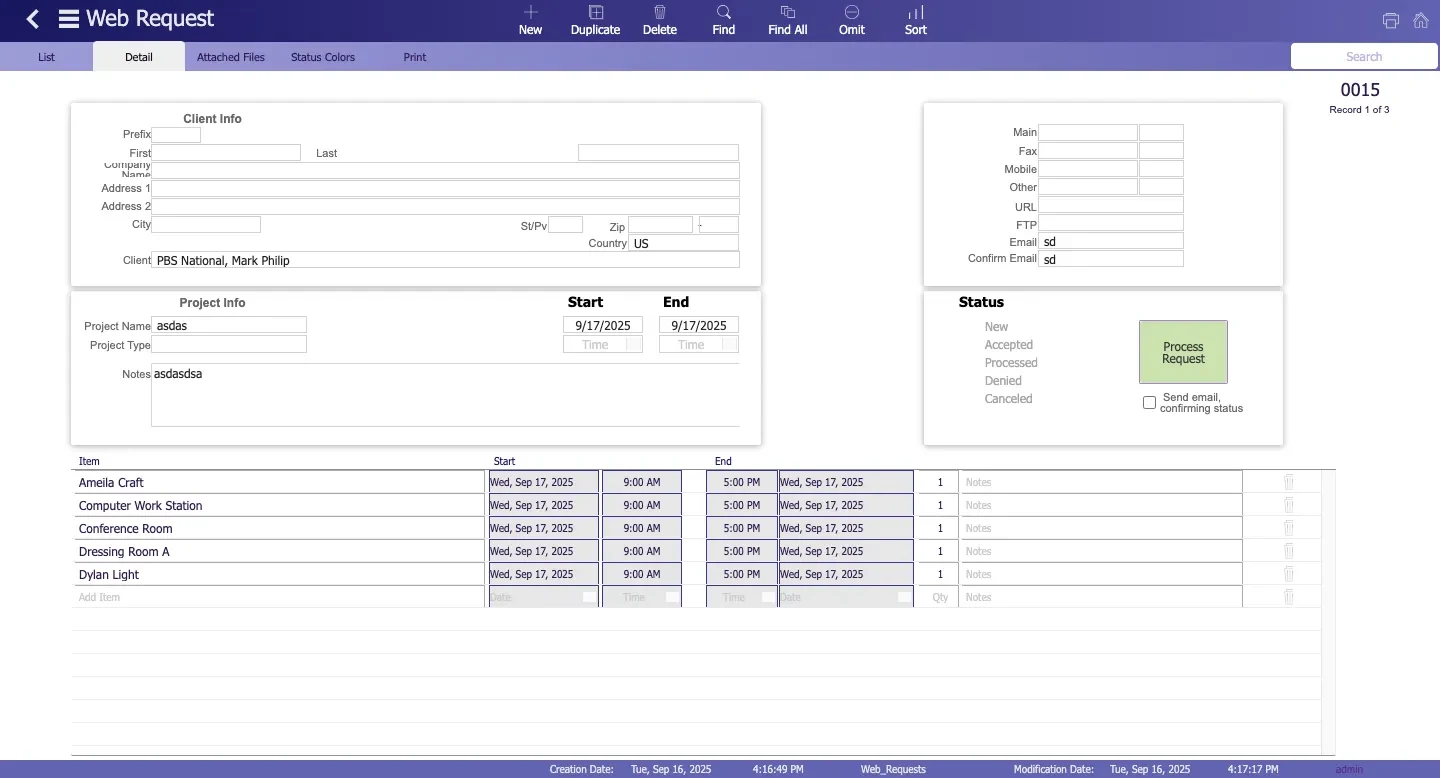
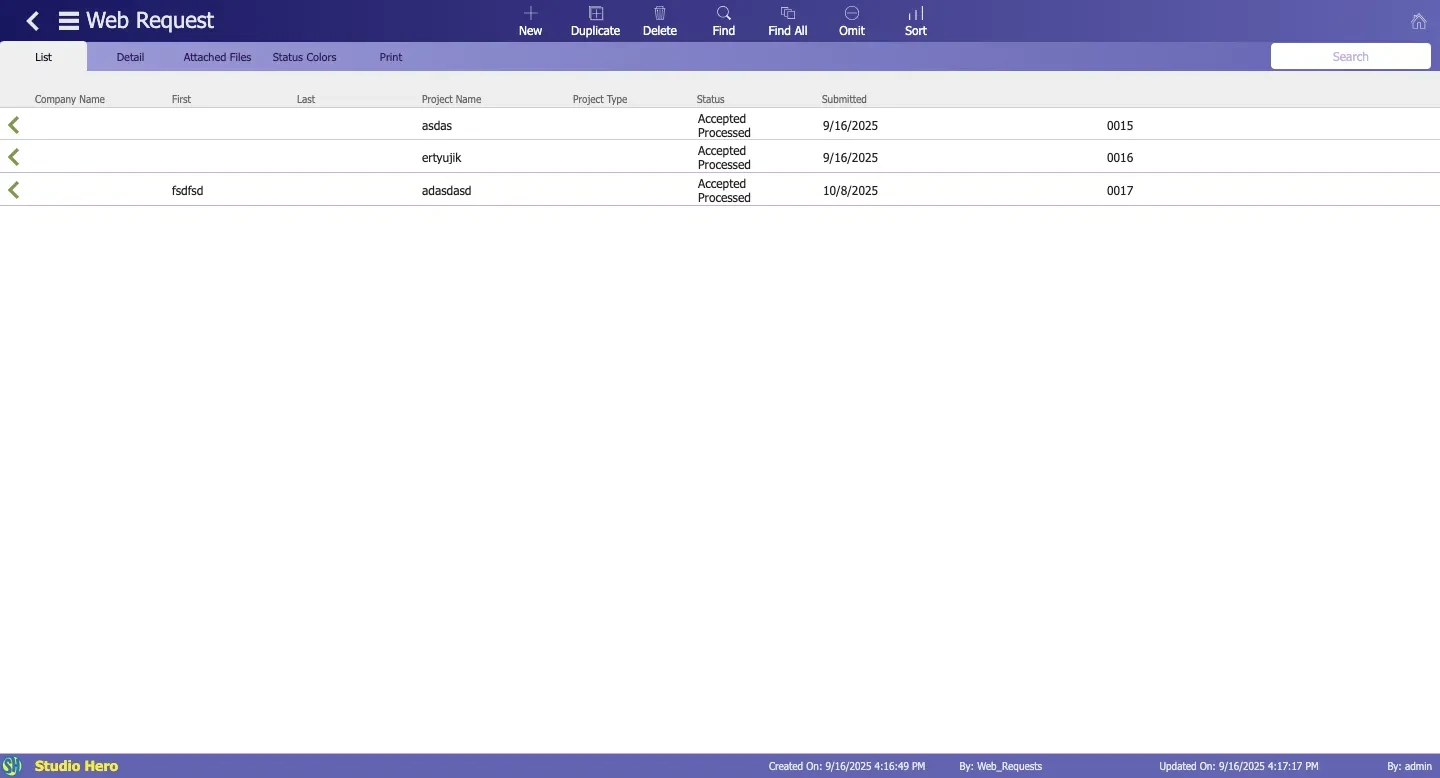
Review and Process Incoming Booking Requests
Bring incoming requests into one workflow so your team can evaluate the details, decide what happens next, and process approved work without rebuilding the request elsewhere.
Review Each Request
See the client, project, requested resources, dates, times, quantities, and notes together before deciding how the booking should proceed.
Update the Request Status
Move requests through clear states such as new, accepted, denied, canceled, or processed so your team can see where each inquiry stands.
Process Approved Work
Use the Process Request action when a booking is ready to proceed, keeping the submitted client, project, resource, and schedule information connected to Studio Hero.
Keep Clients and Your Team Aligned on Request Status
Use request statuses and configurable email responses to keep booking decisions clear as requests move through review.
Send Request Responses
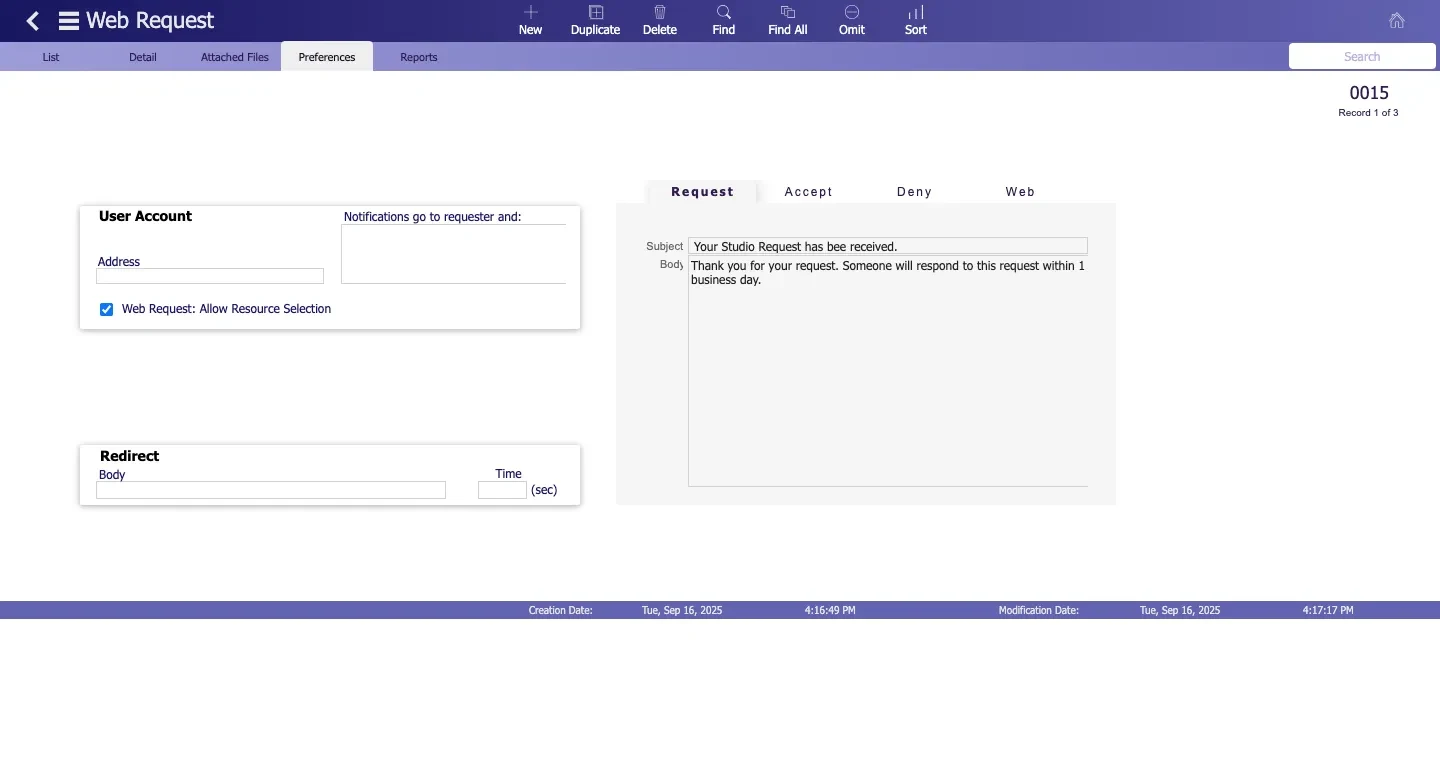
Use configured emails to acknowledge incoming requests and respond when bookings are accepted or denied.
Configure Email Templates
Customize request, acceptance, denial, and web-response emails with your preferred subject lines and message content.
Notify the Right People
Set requester and internal notification recipients so request-related emails reach the people who need to receive them.
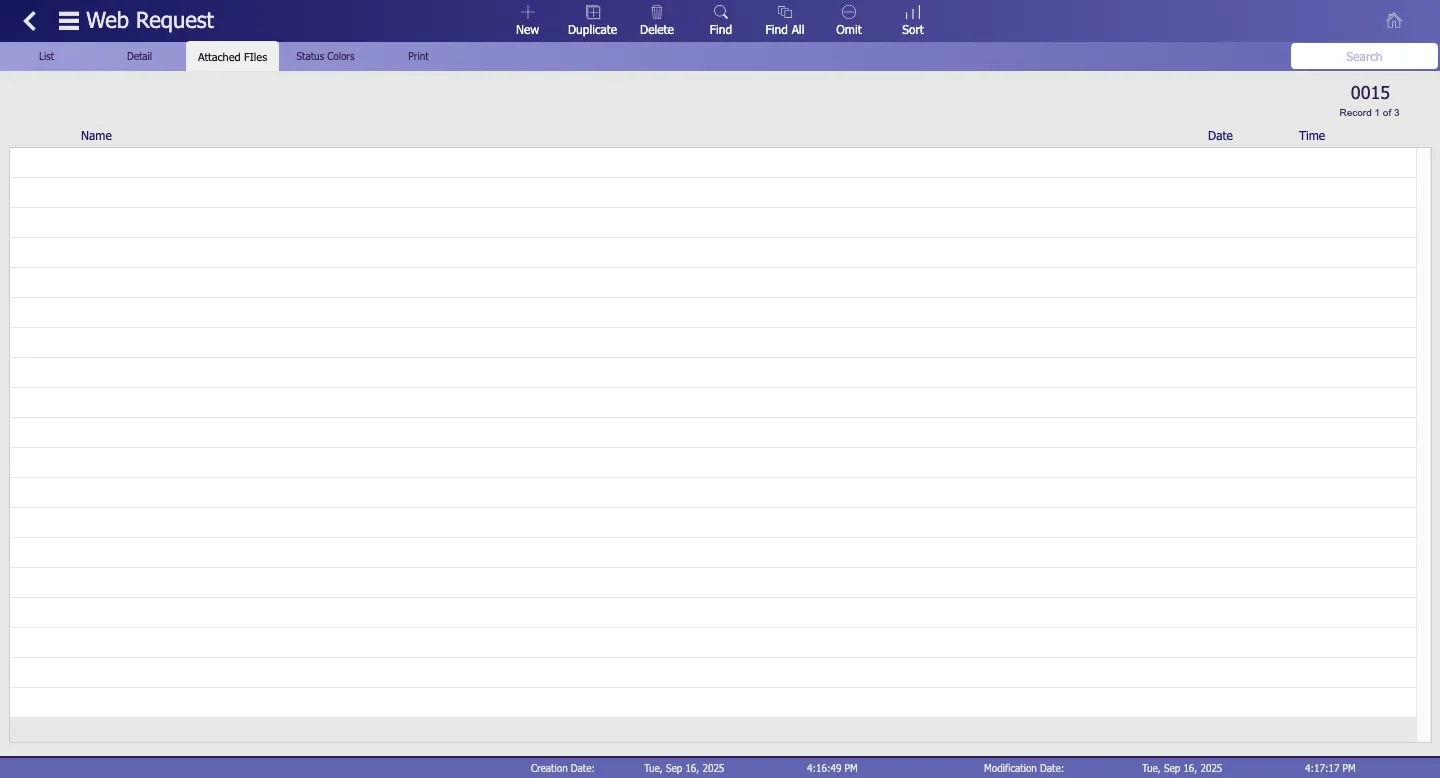
Keep Supporting Files With the Booking Request
Keep supporting files with the request so your team can review booking information and related material from the same record.
Attach Request Files
Associate supporting files with the booking request so relevant reference material stays connected to the inquiry.
See File Details
View the attached file name, date, and time from the request record when your team needs to identify the right supporting material.
Reduce Separate Follow-Ups
Keep request-related files with the booking information so your team spends less time searching through separate email threads or shared folders.
Configure How Booking Requests Enter Your Studio
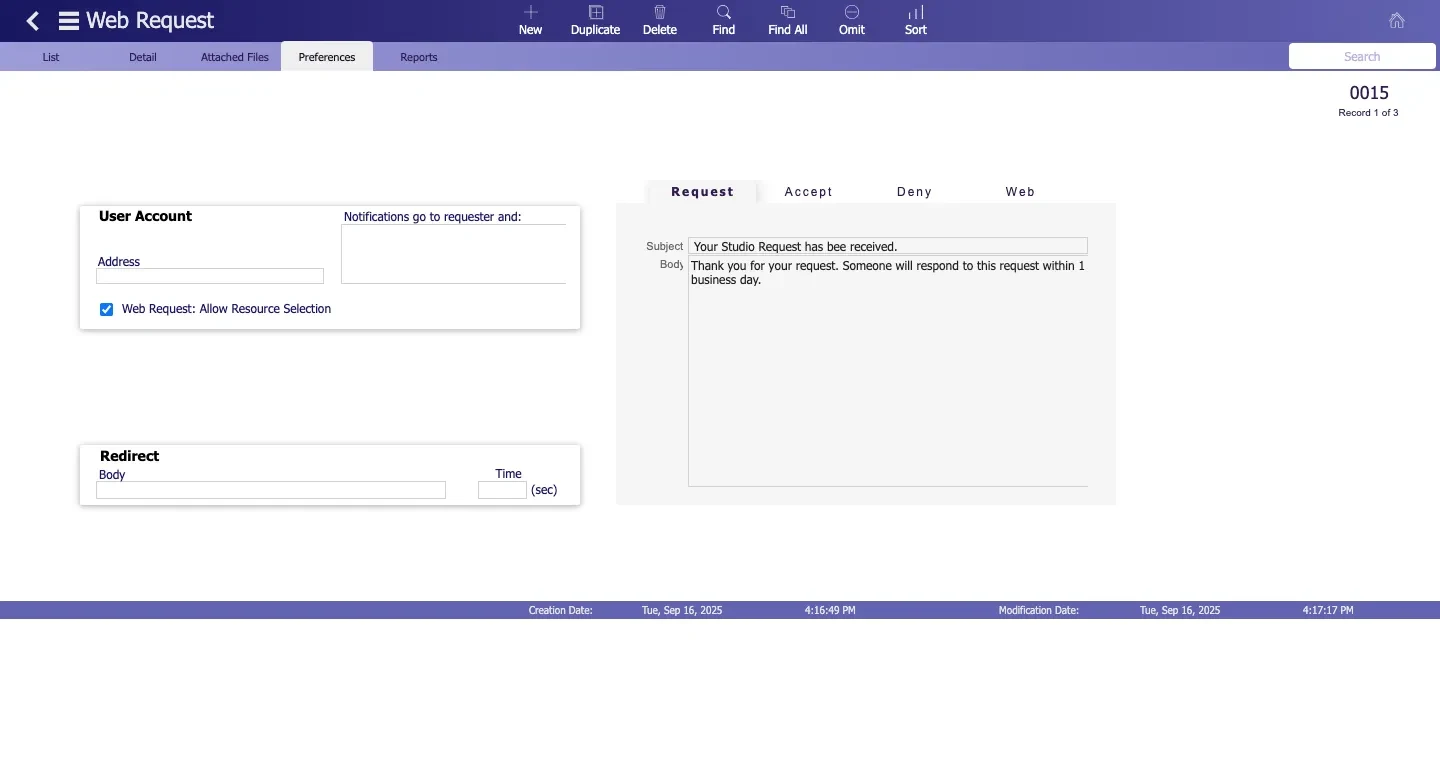
Adjust portal settings around resource selection, notifications, and what happens after submission so incoming requests match the way your studio handles new booking inquiries.
Control Resource Selection
Choose whether clients can select resources through the request workflow and control which resources are included for Web Requests.
Set Notification Recipients
Define the requester and internal recipients who should receive request-related emails through the portal workflow.
Guide Clients After Submission
Configure redirect content and timing after a request is submitted so clients receive a clear next step instead of reaching a dead end.
See How Studios Run Client Work With Studio Hero
See how production studios use Studio Hero to bring client information, production requests, scheduling, and day-to-day studio operations into one connected system.
Client Booking Portal vs. Email and Generic Forms
Email and generic forms can collect basic booking details, but they often leave your team rebuilding the request before it can move into production.
Email & Generic Forms
Studio Hero Client Booking Portal
Client and project details arrive across separate messages or form fields
Client, company, project, and booking information stay together in one request
Resource requirements often need manual follow-up
Requested resources, quantities, dates, times, and notes remain attached to the request
Request status is tracked separately
Requests move through defined states such as new, accepted, denied, canceled, and processed
Responses require separate email handling
Request, acceptance, and denial emails can be configured within the portal workflow
Booking details may need to be re-entered into studio systems
Request information stays connected to Studio Hero’s client, project, resource, and schedule context
Studio Hero gives production teams a more structured way to capture, review, and process client booking requests without relying on disconnected inboxes and generic forms.
Built for Production Studios That Handle Client Booking Requests
Studio Hero supports structured client requests across production businesses that need a clearer way to collect project details, resource requirements, dates, times, and booking information before work begins.

Frequently Asked Questions
1. What is client booking portal software?
Client booking portal software gives clients a structured way to submit booking and production requests online while keeping client details, project information, requested resources, dates, times, and request status together for the studio team.
2. What can clients include in a Studio Hero booking request?
Clients can provide their contact and company information, project name and type, requested resources, quantities, start and end dates and times, notes, and other booking requirements.
3. Can clients request rooms, equipment, crew, or other studio resources?
Yes. Studio Hero can make eligible resources available to the Web Request workflow, allowing clients to include the resources and quantities they need as part of the booking request.
4. How does the studio process incoming booking requests?
Requests enter Studio Hero with their client, project, resource, and timing information. Your team can review the details and move the request through statuses such as new, accepted, denied, canceled, or processed.
5. Can Studio Hero send emails about booking requests?
Yes. Studio Hero supports configurable request, acceptance, denial, and web-response emails, with subject and message content that can be adjusted for the booking workflow.
6. Can supporting files be kept with booking requests?
Yes. Supporting files can be associated with the request and kept alongside basic file information such as the file name, date, and time.
7. Is the Client Booking Portal the same as studio scheduling software?
No. The Client Booking Portal focuses on capturing and processing incoming client requests. Studio Scheduling handles the wider scheduling and resource-planning workflow inside Studio Hero.
8. Is the portal suitable for film, video, and post-production studios?
Yes. The request workflow can support production businesses that need clients to submit project requirements, requested resources, dates, times, and supporting information before the studio reviews and processes the booking.

Turn Client Requests Into Studio Work Faster
Give clients a clearer way to submit booking requirements while your team reviews, responds, and turns approved requests into studio work from one connected workflow.