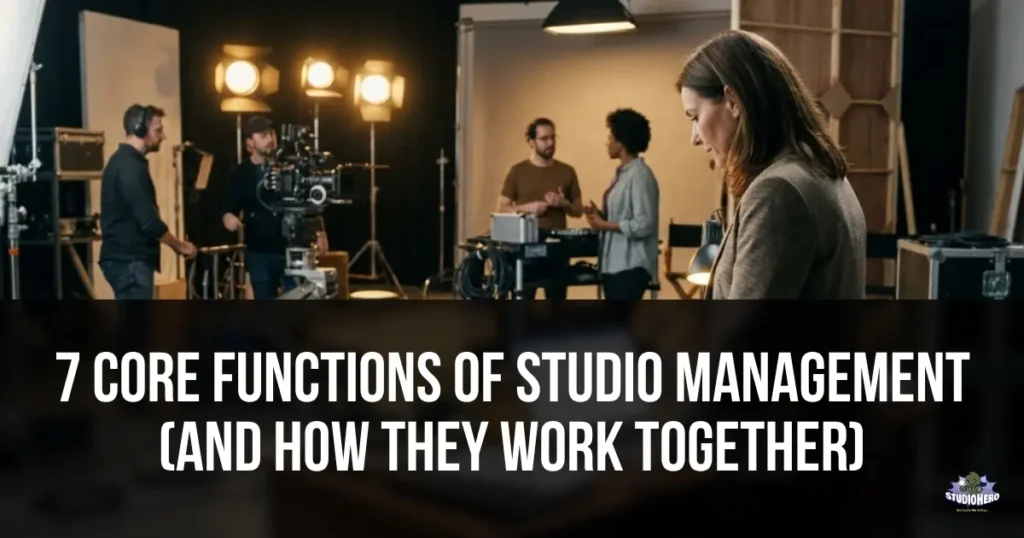
Studio management is built on seven core functions: scheduling and booking, equipment and resource management, financial management, production and project management, team and crew management, client and relationship management, and media asset management. Each function covers a specific operational domain that every production studio must manage. None of these functions operates in isolation. A scheduling decision affects equipment availability. Equipment availability affects production timelines. Production timelines affect budgets. Budgets affect invoicing. Invoicing affects client relationships. This guide breaks down each function, explains what it includes at a granular level, identifies what breaks when each function fails, and maps how all seven connect to form a complete studio management system.
Why Understanding the Functions Matters
Most studios do not fail because they lack talent or clients. They fail because one or more core management functions breaks down and the failure spreads to everything connected to it.
A recording studio that manages scheduling perfectly but ignores equipment maintenance will eventually have a session disrupted by gear failure. A film production studio that tracks project timelines meticulously but neglects financial management will deliver great work while losing money. A podcast studio that books clients efficiently but fails at client follow-up will generate first bookings but never build a repeat client base.
Understanding all seven functions and how they depend on each other allows you to identify which areas need improvement, where to invest first, and what will break if you neglect any one domain.
For a broad overview of what studio management is and the framework that connects all operational areas, see our foundational pillar. For the complete guide covering every aspect of studio management including industry differences, studio sizes, and maturity models, see our comprehensive guide.
This article goes deeper into the functional architecture itself. Think of it as the blueprint showing every room in the building and every doorway connecting them.
The 7 Core Functions at a Glance
| # | Function | What It Manages | Key Question It Answers |
| 1 | Scheduling and Booking | Time, space, and resource allocation | “Who is using which room, when, and with what?” |
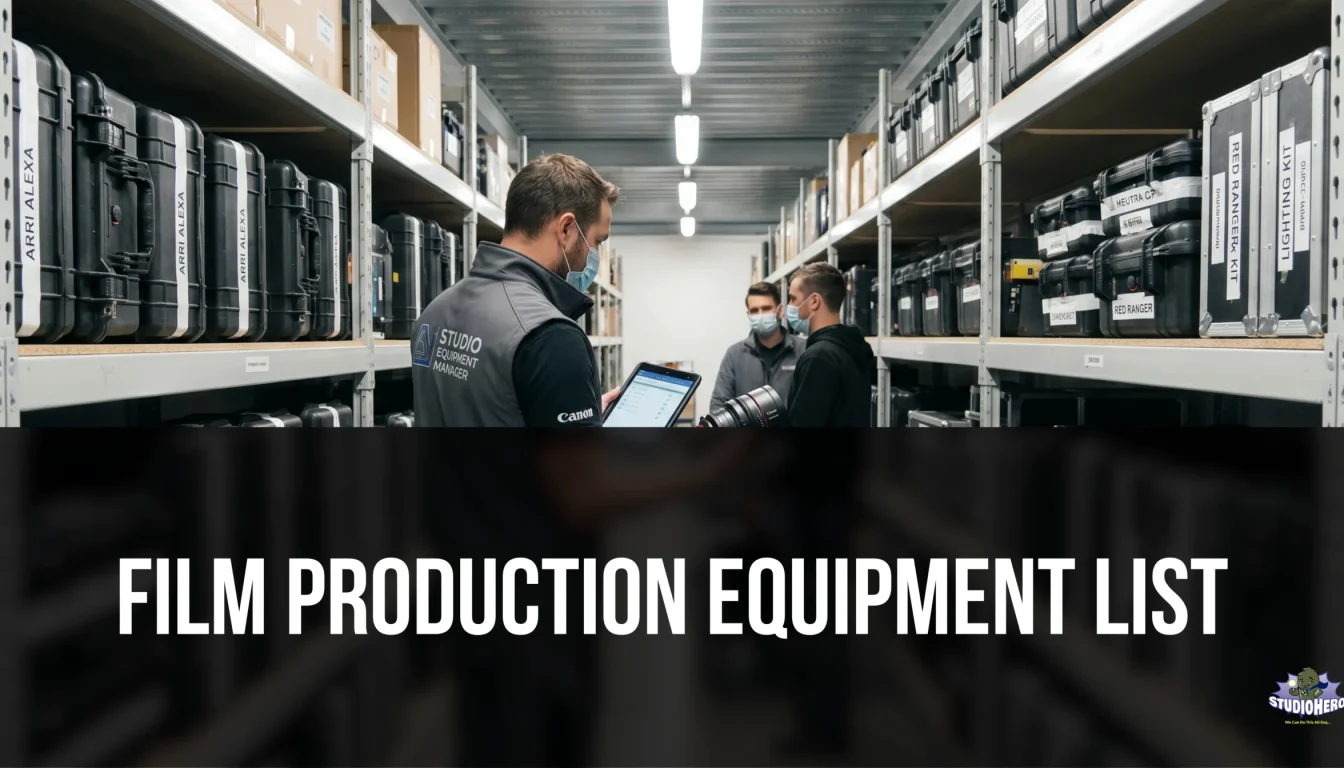
| 2 | Equipment and Resource Management | Physical assets, gear, and inventory | “Where is every piece of equipment and is it ready to use?” |
| 3 | Financial Management | Revenue, expenses, invoicing, budgeting, and profitability | “Is the studio making money and is cash flowing properly?” |
| 4 | Production and Project Management | Project lifecycle, tasks, deliverables, and timelines | “Is every production on track for on-time delivery?” |
| 5 | Team and Crew Management | Staff scheduling, crew coordination, and workload | “Are the right people assigned and available?” |
| 6 | Client and Relationship Management | Client records, communication, and experience | “Are clients getting a professional, seamless experience?” |
| 7 | Media Asset Management | Digital files, recordings, project assets, and storage | “Can we find, deliver, and protect every digital asset?” |
1. Scheduling and Booking
Scheduling and booking is the function that controls how time and space are allocated across the studio. It is the most visible function because its failures are immediately felt. A double booking, a missed session, or an empty room that should have been filled are all scheduling failures with direct revenue impact.
What This Function Includes
Room and space allocation. Assigning every bookable space (recording studios, production stages, edit suites, podcast rooms, photography spaces) to specific clients, sessions, or productions for defined time blocks.
Time block management. Defining session start times, end times, setup windows, and teardown buffers. Managing half-day, full-day, hourly, and custom time blocks based on the studio’s booking model.
Conflict prevention. Ensuring no room, resource, or piece of equipment is assigned to two overlapping sessions. This requires real-time visibility into all bookings across all spaces, which is why a centralized studio scheduling system is the foundation of this function.
Recurring booking management. Handling clients or productions that book the same space on a regular schedule (weekly podcast recordings, monthly video shoots, ongoing series production).
Calendar synchronization. Keeping the studio calendar aligned with team members’ individual calendars, client calendars, and any external scheduling tools. A synchronized studio calendar prevents the drift that occurs when information exists in multiple disconnected calendars.
Self-service client access. Allowing clients to view real-time availability, request bookings, and confirm sessions through a client booking portal without requiring phone calls or email exchanges.
Booking confirmation and reminders. Sending automated confirmations at time of booking and reminders 24 to 48 hours before each session to reduce no-shows.
What Breaks When This Function Fails
Double bookings force the studio to turn away a client or scramble for alternative space. Underutilization leaves revenue on the table. Lack of buffer time between sessions degrades client experience and equipment handling. Studios without centralized scheduling spend hours per week on administrative coordination that a system handles in seconds.
For scheduling best practices and strategies to avoid double bookings, see our dedicated guides. For studios evaluating booking software options, see our comparison guide.
How It Connects to Other Functions
| Scheduling connects to… | Because… |
| Equipment Management | Booked sessions require specific gear to be available and assigned |
| Financial Management | Every booking generates revenue that must be invoiced |
| Team Management | Every session needs crew assigned alongside the room |
| Client Management | Booking is the primary client interaction point |
| Production Management | Project timelines depend on scheduled studio time |
| Media Asset Management | Sessions generate files that need to be stored and organized |
Key Metric
Room utilization rate: Booked hours divided by available hours. Target 65% to 80%.
2. Equipment and Resource Management
Equipment and resource management is the function that tracks, maintains, and allocates every physical asset the studio owns. For equipment rental businesses, this function IS the business. For every other studio type, it is the function that prevents the “where is the…” conversations that waste hours every week.
What This Function Includes
Asset inventory. A complete digital catalog of every piece of equipment with item name, serial number, purchase date, purchase cost, current condition, and current location. Maintained in a centralized studio equipment management system.
Checkout and return tracking. Logging who takes which equipment, when they take it, where they are taking it, and when it is due back. Every checkout. Every return. No exceptions for “quick grabs.” Studios that skip this step face the shared equipment tracking mistakes that lead to lost and damaged gear.
Availability visibility. Showing in real time which equipment is available, which is checked out, which is in maintenance, and which is reserved for upcoming sessions. This prevents double-assignment where two sessions on the same day both expect the same gear.
Preventive maintenance. Scheduled inspections, cleaning, calibration, firmware updates, and professional servicing at defined intervals (weekly, monthly, quarterly). Studios that skip maintenance encounter the equipment tracking problems that disrupt sessions and cost more to fix reactively than they would to prevent. The full equipment maintenance framework covers every step.
Depreciation and lifecycle tracking. Understanding the financial value of assets over time, forecasting when equipment will need replacement, and making data-driven decisions about repair vs. replace.
Consumables and supplies management. Tracking stock levels of items that get used up (batteries, tape, cables, printer ink, cleaning supplies) and restocking before shortages affect sessions. Inventory management mistakes in this area cause surprisingly disruptive session interruptions.
Room presets and configurations. Defining standard equipment setups for common session types so room preparation follows a checklist rather than requiring creative problem-solving each time.
For a product-level look at how Studio Hero handles this function, see our guide on taking control of every piece of gear.
What Breaks When This Function Fails
Sessions start late because equipment cannot be found. Gear breaks during a session because maintenance was skipped. Duplicate rentals are paid for equipment the studio owns but cannot locate. Equipment disappears permanently. Clients lose confidence in the studio’s professionalism.
How It Connects to Other Functions
| Equipment connects to… | Because… |
| Scheduling | Sessions need specific equipment available at the scheduled time |
| Financial Management | Equipment has purchase cost, maintenance cost, depreciation value, and insurance implications |
| Production Management | Each production requires a specific equipment list |
| Team Management | Crew members check out and return equipment |
| Media Asset Management | Recording equipment generates digital files that need organized storage |
| Client Management | Equipment quality directly affects the client’s experience and output |
Key Metric
Equipment downtime rate: Sessions affected by equipment issues divided by total sessions. Target below 5%.
3. Financial Management
Financial management is the function that tracks whether the studio is making money, spending money wisely, and collecting money efficiently. It is the function that studio owners most often defer (“I will look at the numbers later”) and most often regret deferring (“I wish I had looked sooner”).
What This Function Includes
Revenue tracking. Recording all income by source (studio rental, production services, post-production, equipment rental, other) and by client. Maintained in your studio finance management system.
Invoicing. Generating professional invoices tied to specific projects and bookings, sending them promptly, tracking payment status, and following up on overdue amounts. Your studio invoicing system should connect directly to project and booking records so invoice creation takes minutes.
Budgeting. Creating project-level budgets before work begins and tracking actual costs against estimates during the project. Studio budgeting tools that update in real time catch overruns before they become losses.
Expense management. Recording every outgoing cost (rent, utilities, freelancer payments, equipment purchases, supplies, subscriptions) with categorization and timing. For studios tracking expenses without spreadsheets, a connected system eliminates the end-of-month reconciliation scramble.
Cash flow management. Understanding the timing of money in versus money out to prevent the cash crunches that force reactive decisions. For strategies on improving studio cash flow, see our billing guide.
Petty cash management. Tracking small cash transactions, reconciling the cash drawer, and preventing the small discrepancies that compound over months into significant unexplained gaps. The full petty cash management framework covers daily and weekly routines.
Pricing strategy. Setting rates based on true cost per hour rather than competitor imitation. Understanding margins by service type, room, and client. For pricing strategy guidance, see our pricing guide.
Profitability analysis. Calculating profit at both the studio level (is the business overall profitable?) and the project level (is each individual project profitable?). Studios that only track studio-level revenue miss the production tracking gaps that hide project-level losses.
Accounting integration. Synchronizing studio financial data with QuickBooks, Xero, or other accounting software to maintain accurate books without double entry.
What Breaks When This Function Fails
Invoices go out late, delaying payment. Cash flow gaps force the studio to defer maintenance, skip hiring, or dip into reserves. Unprofitable projects continue because nobody measures project-level margins. Pricing remains below cost because true cost per hour was never calculated. Tax season becomes an emergency instead of a routine.
How It Connects to Other Functions
| Finance connects to… | Because… |
| Scheduling | Every booking generates billable revenue |
| Equipment Management | Equipment has purchase, maintenance, depreciation, and insurance costs |
| Production Management | Every project has a budget and profitability calculation |
| Team Management | Staff and freelancer costs are the largest variable expense |
| Client Management | Invoicing is a client touchpoint that affects the relationship |
| Media Asset Management | Storage infrastructure has cost implications |
Key Metric
Project profitability margin: (Revenue minus direct costs) divided by revenue times 100. Target 30% to 50%.
4. Production and Project Management
Production and project management is the function that tracks every project from the initial client brief through final delivery. While the first three functions (scheduling, equipment, finance) manage the studio infrastructure, production management manages the work that flows through that infrastructure.
Understanding the distinction between studio management and production management is important. They are related but serve different purposes. For the full breakdown, see our guide on studio management vs. production management.
What This Function Includes
Project intake and scoping. Receiving the client brief, defining scope, establishing deliverables, and creating the initial project plan. This is where expectations are set and documented.
Production lifecycle tracking. Monitoring where every active project sits in its lifecycle (development, pre-production, production, post-production, delivery, wrap). Your production management system should provide a dashboard showing the status of every active project at a glance.
Task assignment and tracking. Breaking each project into specific tasks, assigning each task to a person with a deadline, and tracking completion. When tasks have no owner, they have no accountability, which is the root cause of most production tracking gaps.
Milestone and timeline management. Defining key milestones (first cut due, client review date, final delivery deadline) and tracking whether the project is on schedule. Milestones that slip without being caught create the late deliveries that damage client relationships.
Deliverable management. Tracking every output the project must produce (edited video, mixed audio file, color-graded master, graphics package) and confirming delivery of each item.
Revision management. Tracking client feedback, revision rounds, and version history. Defining how many revision rounds are included in the scope and what constitutes an additional charge.
For project management strategies that improve delivery rates and client satisfaction, see our production guide.
What Breaks When This Function Fails
Projects miss deadlines because nobody tracked the timeline. Deliverables get lost because nobody tracked what was due. Scope creep erodes profitability because nobody documented the original scope. Client satisfaction drops because the studio cannot answer “where is my project?” without checking with three people.
How It Connects to Other Functions
| Production connects to… | Because… |
| Scheduling | Productions need studio rooms booked for specific phases |
| Equipment Management | Each production has an equipment requirements list |
| Financial Management | Each production has a budget and generates invoiced revenue |
| Team Management | Each production needs crew assigned to specific roles |
| Client Management | Client feedback, approvals, and communication happen within each project |
| Media Asset Management | Every production generates files that need organized storage and delivery |
Key Metric
On-time delivery rate: Projects delivered on or before deadline divided by total projects delivered. Target 90%+.
5. Team and Crew Management
Team and crew management is the function that coordinates the people who make the studio’s work happen. In-house engineers, editors, producers, studio assistants, freelance camera operators, sound mixers, and front-of-house staff all need to be scheduled, assigned, communicated with, and managed effectively.
What This Function Includes
Staff scheduling. Managing shifts, working hours, time-off requests, and overtime for full-time and part-time team members. A crew management system provides centralized visibility into who is available, who is assigned, and who is approaching overtime limits.
Crew assignment. Matching the right people to the right projects and sessions based on skills, availability, experience, and rates. For employee scheduling techniques that reduce coordination overhead, see our scheduling guide.
Freelancer management. Maintaining a database of vetted freelancers with skills, rates, availability preferences, and performance history. Booking freelancers with adequate lead time and clear communication. Studios that manage freelance crews systematically get better talent at better rates than studios that call around last minute.
Conflict resolution. Detecting and resolving crew scheduling conflicts before they affect sessions. This requires visibility into all assignments across all projects, which is impossible when assignments are tracked in separate spreadsheets or text threads.
Communication and coordination. Distributing session details, call sheets, project briefs, and schedule changes to all relevant team members. For studios managing podcast hosts and guest schedules alongside crew, coordination becomes multi-layered and systematic communication is essential.
Workload monitoring. Tracking hours worked per person to prevent burnout, manage overtime costs, and ensure equitable distribution of work. Teams consistently pushed past sustainable workloads make more mistakes and eventually leave.
Skills and certification tracking. Knowing which team members are trained on specific equipment, certified for specific roles, or experienced with specific production types.
Team meetings and alignment. Running structured weekly team meetings that surface issues, align priorities, and maintain team cohesion.
What Breaks When This Function Fails
Crew members get double-booked. Sessions run with underqualified staff because the right person was not available and nobody checked in advance. Overtime costs spiral because workload was not monitored. Key staff burn out and leave because the studio treated availability as unlimited. The studio becomes dependent on one or two people who hold all the knowledge.
How It Connects to Other Functions
| Team connects to… | Because… |
| Scheduling | Every booked session needs assigned crew |
| Equipment Management | Crew members check out and operate equipment |
| Financial Management | Staff and freelancer costs are a major expense category |
| Production Management | Each production needs a crew with defined roles |
| Client Management | Client-facing team members represent the studio |
| Media Asset Management | Technical staff create and organize digital assets |
Key Metric
Crew scheduling conflict rate: Number of crew conflicts divided by total crew assignments. Target below 2%.
6. Client and Relationship Management
Client and relationship management is the function that governs how the studio acquires clients, communicates with them, serves them, and retains them. Studios are service businesses. The quality of the client experience determines whether a client books once or becomes a long-term account that generates tens of thousands in lifetime revenue.
What This Function Includes
Client records. A centralized database of every client with contact information, company details, communication history, project history, preferences, and notes. When any team member picks up a client interaction, they should have full context without asking the client to repeat themselves.
Inquiry handling and response. Managing incoming inquiries through email, phone, website forms, and booking portal submissions. Responding within two hours during business hours. Speed of response is the single strongest predictor of whether an inquiry converts to a booking.
Proposal and estimate management. Creating professional estimates and proposals tied to specific project scopes. Sending them promptly. Tracking which proposals are pending, which were accepted, and which were declined.
Client communication throughout projects. Providing proactive updates on project status rather than waiting for clients to ask. Documenting all communication in the client record so institutional knowledge stays with the studio, not with individual team members.
Client portal access. Giving clients self-service access to view their bookings, check project status, review invoices, and access delivered files through a branded portal connected to your studio operations management platform.
Post-project follow-up. Contacting clients within 48 hours of final delivery to confirm satisfaction, collect feedback, request testimonials, and discuss future needs. This is the highest-ROI activity for generating repeat business.
Retention and loyalty programs. Recognizing and rewarding repeat clients with priority booking access, volume pricing, annual reviews, and personalized attention proportional to their revenue contribution.
What Breaks When This Function Fails
Inquiries go unanswered for days and prospects book with competitors. Client history is lost because it lived in one person’s inbox. Repeat clients feel anonymous because nobody tracks their preferences or history. Post-project follow-up does not happen, and clients who would have returned simply forget about the studio. The studio spends all its energy on acquiring new clients instead of retaining existing ones, which costs 5 to 7 times more per dollar of revenue.
How It Connects to Other Functions
| Client connects to… | Because… |
| Scheduling | Booking is the primary client interaction and revenue trigger |
| Equipment Management | Equipment quality directly affects client output |
| Financial Management | Invoicing and payment are client touchpoints |
| Production Management | Client feedback and approvals drive the project lifecycle |
| Team Management | Client-facing staff represent the studio’s brand |
| Media Asset Management | Clients need access to their delivered files |
Key Metric
Client retention rate: Clients who booked again within 12 months divided by total clients. Target 45% to 60%.
7. Media Asset Management
Media asset management is the function that organizes, stores, protects, and delivers the digital files a studio creates and receives. Every recording session generates audio files. Every video production generates footage. Every post-production project generates edits, graphics, and final deliverables. Without a system for managing these assets, studios drown in disorganized hard drives, lost files, and delivery delays.
This function is especially critical for post-production facilities where digital assets are the primary work product, but it applies to every studio that creates or handles digital content.
What This Function Includes
File organization and naming conventions. Defining a consistent folder structure and file naming system that every team member follows. A standard convention might be: ClientName_ProjectName_AssetType_Version_Date. When conventions are followed, any team member can find any file without asking someone else where it is.
Storage infrastructure management. Managing local storage (NAS, SAN, studio servers), cloud storage, and archive storage. Monitoring capacity, planning upgrades, and ensuring performance meets production needs.
Backup and redundancy. Maintaining automated backup processes that protect against data loss from hardware failure, human error, or disaster. The 3-2-1 rule (3 copies, 2 different media types, 1 offsite) is the minimum standard for production studios handling client content.
Version control. Tracking which version of a file is current, who made changes, and when. This prevents the scenario where a client receives the wrong version of an edit, or a colorist works on an outdated file because someone saved a new version without communicating the change.
Access control. Defining who can view, edit, and delete files. Client files should be accessible to the project team but not to unrelated staff. Completed project archives should be read-only to prevent accidental modification.
Delivery management. Packaging and delivering final assets to clients in the correct formats, at the correct specifications, through the appropriate delivery channels. Tracking what was delivered, when, and to whom.
Archive and retention. Defining how long project files are retained after delivery. Moving completed projects from active storage to archive storage. Communicating retention policies to clients so expectations are clear.
Your media asset management system should integrate with your production management and equipment management functions so asset workflows connect naturally to projects and sessions.
What Breaks When This Function Fails
Files cannot be found when the client requests them. The wrong version of a deliverable goes to the client, requiring rework and damaging trust. Storage runs full during a production, halting work. Backup failure results in permanent data loss. Freelancers or former staff retain access to client files they should no longer have. The studio cannot deliver files in the format or specification the client requires.
How It Connects to Other Functions
| Media Assets connect to… | Because… |
| Equipment Management | Recording equipment generates the files that need managing |
| Production Management | Every project produces files that need organized throughout the lifecycle |
| Financial Management | Storage infrastructure has cost implications, and delivery triggers invoicing |
| Team Management | Staff need access permissions appropriate to their role |
| Client Management | File delivery is a critical client touchpoint, and clients may need ongoing access |
| Scheduling | Sessions generate files that need immediate organization and backup |
Key Metric
File retrieval time: How long it takes to locate and deliver any requested file. Target under 10 minutes for active projects, under 1 hour for archived projects. Studios without organized asset management routinely spend 30 minutes to several hours searching for files.
How All 7 Functions Connect (The Interconnection Map)
The seven functions do not operate independently. They form a connected system where information flows between functions constantly. Here is how a single client booking touches all seven:
Studio Workflow
Session Lifecycle Flow
Move through the studio process step by step, from booking to follow-up.
When these functions are managed in a unified studio operations management platform, the flow between them is automatic. Room booking triggers equipment reservation. Session completion triggers invoice generation. Delivery triggers client follow-up.
When these functions are managed in disconnected tools, every connection point requires manual effort, creating opportunities for errors, delays, and lost information at every handoff.
Which Functions Matter Most (By Studio Type)
Every studio needs all seven functions, but the priority and depth of each shifts based on the type of studio:
| Studio Type | Primary Functions (invest most) | Secondary Functions (still needed) |
| Film and video production | Production Management, Team Management, Financial Management | Scheduling, Equipment, Client, Media Assets |
| Recording studios | Scheduling, Equipment Management, Client Management | Financial, Team, Production, Media Assets |
| Broadcast TV and radio | Scheduling, Team Management, Production Management | Equipment, Financial, Client, Media Assets |
| Podcast studios | Scheduling, Client Management, Financial Management | Equipment, Team, Production, Media Assets |
| Photography studios | Client Management, Scheduling, Financial Management | Equipment, Team, Production, Media Assets |
| Creative agencies | Production Management, Financial Management, Team Management | Scheduling, Equipment, Client, Media Assets |
| Equipment rental houses | Equipment Management, Financial Management, Client Management | Scheduling, Team, Production, Media Assets |
| Post-production facilities | Media Asset Management, Production Management, Scheduling | Equipment, Financial, Team, Client |
“Secondary” does not mean optional. It means the function requires less depth and complexity than the primary functions for that studio type. A podcast studio still needs equipment management. It just does not need the same depth as a film production facility with a $500,000 equipment inventory.
Assessing Your Studio’s Functional Health
Use this quick assessment to identify which functions need the most attention in your studio:
Studio Assessment
Assessing Your Studio’s Functional Health
Rate each function from 1 to 5 to see where your studio is strong and where it needs attention.
How scoring works
1. Scheduling & Booking
2. Equipment & Resources
3. Financial Management
4. Production Management
5. Team & Crew Management
6. Client Management
7. Media Asset Management
Use the results to inform the priorities in your studio management plan and the focus areas in your studio management checklist.
For the KPIs that measure each function’s performance, see our complete KPI guide. For the best practices within each function, see our best practices hub. For the most common mistakes across all functions, see our mistakes guide.
Building an Integrated System
The ultimate goal of understanding these seven functions is not to manage each one independently. It is to manage all seven as a connected system where data flows freely between functions and every team member has the visibility they need.
Three approaches, from least to most effective:
Approach 1: Disconnected Tools (Least Effective)
Each function managed in a separate tool. Google Calendar for scheduling, spreadsheets for equipment and finances, email for client communication, a project management app for production. Every connection between functions requires manual effort.
This works for studios with one room, one person, and fewer than ten active clients. Beyond that, the manual transfer points create errors, delays, and information loss at a rate that grows with every client and project added.
Approach 2: Partially Connected Tools (Moderate)
Some functions share a platform while others remain separate. For example, scheduling and client booking in one tool, finances in QuickBooks, project management in Asana, equipment tracking in a spreadsheet.
Better than fully disconnected, but the gaps between systems still create blind spots. The scheduling tool does not know what QuickBooks knows. Asana does not know what the equipment spreadsheet knows.
Approach 3: Unified Platform (Most Effective)
All seven functions managed in a single studio operations management platform where scheduling, equipment, finances, projects, crew, clients, and assets share the same data.
This is the approach where the interconnection map from earlier actually works. A booking automatically checks equipment availability. Project completion automatically triggers invoicing. Client records automatically include every booking, project, and invoice.
For studios evaluating whether to move from spreadsheets to a unified system, the tipping point typically comes when the studio has more than two bookable rooms, more than 50 tracked equipment items, more than 10 active clients, or more than two people managing operations.
For strategies to streamline operations and build efficient management systems, see our operational guides.
Frequently Asked Questions
The seven core functions of studio management are scheduling and booking, equipment and resource management, financial management, production and project management, team and crew management, client and relationship management, and media asset management. Each function covers a specific operational domain, and all seven are interconnected. A failure in any single function creates cascading effects across the others.
Scheduling and booking is typically the most foundational function because it controls how the studio allocates its primary asset: time in the room. However, the most important function varies by studio type. Recording and podcast studios prioritize scheduling. Film production studios prioritize production and team management. Equipment rental businesses prioritize equipment management. The function that generates or protects the most revenue for your specific studio type should receive the most attention.
Every function depends on data from other functions. Scheduling decisions affect equipment availability and crew assignments. Equipment status affects session capacity and client experience. Financial data depends on accurate scheduling, project, and team records. Client satisfaction depends on every function performing well. When managed in disconnected tools, each connection point requires manual data transfer. When managed in a unified platform, data flows between functions automatically.
Yes. Small studios manage all seven functions at a simpler scale. A single-room studio still needs scheduling (even if it is one calendar), equipment tracking (even if the inventory is small), financial management (invoicing and expense tracking), basic project management, team coordination (even if the “team” is one person plus occasional freelancers), client records, and file management. The systems are simpler, but the functions are the same.
Neglecting any function creates a weak point that eventually affects the entire operation. Neglecting equipment management leads to session disruptions and unexpected costs. Neglecting financial management leads to cash flow problems and hidden losses. Neglecting client management leads to poor retention and reliance on constant new client acquisition. Neglecting media asset management leads to lost files and delivery failures. The most common pattern is studios that manage scheduling and production well but neglect finances and client retention, which limits growth and profitability.
At minimum, each function needs a dedicated system or process. Studios using disconnected tools typically need five to eight separate applications. A unified studio operations management platform connects all seven functions in one system, eliminating the data gaps and manual transfer points that disconnected tools create. The choice between disconnected and unified depends on studio size, complexity, and how many functions currently lack proper systems.
Next Steps
Understanding the seven functions gives you the architectural blueprint for your studio’s management system. These guides help you build, measure, and optimize each function:
- Studio Management Best Practices covers the best practices within each function
- Studio Management Checklist covers the daily, weekly, and monthly tasks for each function
- Studio Management KPIs covers the metrics that measure each function’s performance
- How to Create a Studio Management Plan covers how to set goals and build a strategy across all functions
- How to Manage a Production Studio Efficiently covers how to build efficient systems for each function
- Common Studio Management Mistakes covers the errors that cause functions to fail
- Studio Management vs. Production Management clarifies the boundary between facility functions and project functions
- The Complete Guide to Studio Management covers the full framework that ties everything together
If your studio is ready to connect all seven functions in a single platform, schedule a demo of Studio Hero and see how the system works for your studio type.
Studio Hero is studio management software built for film, TV, audio, video, podcast, and photography production studios. See pricing or book a free demo.