Studio management best practices are the proven methods production studios use to run scheduling, equipment, finances, crews, clients, and daily operations more efficiently. In 2026, the best-run studios schedule with buffer time and centralized calendars, track every piece of equipment digitally, manage finances at the project level, coordinate crews through structured systems, treat client communication as a competitive advantage, and document workflows as repeatable standard operating procedures. This guide covers 30+ best practices across six operational domains, so you can apply them whether you run a one-room podcast studio or a multi-stage film production facility.
What Are Studio Management Best Practices?
Studio management best practices are the operational habits, systems, and strategies that consistently produce better outcomes for production studios — fewer scheduling conflicts, higher equipment utilization, stronger profitability, better client retention, and less daily chaos.
These are not theories. They come from patterns observed across studios that run well versus studios that struggle, spanning film and video production, recording and audio post, broadcast TV and radio, podcast networks, photography studios, and creative media agencies.
If you are new to studio management or want to understand the full scope before diving into best practices, start with our complete guide to studio management.
This article covers best practices across six domains:
- Scheduling and booking
- Equipment and resource management
- Financial management
- Team and crew coordination
- Client management
- Studio operations and workflows
Scheduling and Booking Best Practices
Scheduling is the foundation of every production studio. When the calendar is wrong, everything downstream breaks — equipment is unavailable, crews show up to conflicts, clients lose trust, and revenue disappears into gaps nobody noticed.
These are the scheduling practices that separate studios running at 70%+ utilization from those stuck at 40%.
1. Use a Single Centralized Calendar as Your Source of Truth
Every room, every resource, every session — one calendar. Not a Google Calendar for Studio A, a whiteboard for Studio B, and a spreadsheet for the edit suite. One system.
When scheduling lives in multiple places, double bookings become inevitable. A centralized studio scheduling system eliminates this by making every booking visible to every authorized team member in real time.
This applies equally to a single-room podcast studio and a multi-stage film production facility.
2. Build Buffer Time Into Every Session
Every booking should include setup time before and teardown time after the session. The amount varies by studio type:
| Studio Type | Recommended Buffer |
| Recording / audio studio | 30 minutes before, 15 minutes after |
| Film / video production stage | 60-90 minutes before, 60 minutes after |
| Podcast studio | 15 minutes before, 15 minutes after |
| Photography studio | 30 minutes before, 30 minutes after |
| Broadcast / TV studio | 45 minutes before, 30 minutes after |
Back-to-back bookings with no buffer are the number one source of client complaints and crew stress. A client walking into a room that still has the previous session’s equipment set up is a failure of scheduling, not a failure of people.
3. Enforce a Written Cancellation Policy
Studios without a cancellation policy absorb the full cost of every no-show and late cancellation. Studios with one do not.
A standard policy requires 48 hours’ notice for cancellations. Cancellations within 48 hours are charged at 50%. Same-day cancellations are charged at 100%. The policy should be included in every booking confirmation and every client contract.
This is not adversarial. It is professional. Clients respect it when it’s communicated clearly upfront.
4. Enable Client Self-Service Booking
Studios that require clients to call or email to check availability and book sessions create friction that costs revenue. A client booking portal allows clients to view real-time availability, select their preferred time, and confirm the booking without waiting for a response.
Self-service booking reduces administrative time for your team and converts more inquiries into confirmed sessions because the client can act in the moment they are ready.
5. Track Utilization Rate Weekly
Utilization rate is the percentage of available studio hours that are actually booked. Most studio owners think they are busier than they are. Tracking the actual number reveals opportunities.
Utilization Rate = (Booked Hours ÷ Available Hours) × 100
Example:
Studio A availability: 10 hours/day × 5 days/week = 50 hours available
Booked Hours: 32
Utilization Rate: (32 ÷ 50) × 100 = 64%
A well-managed studio targets 70-80% utilization. Below 60% signals pricing, marketing, or booking friction problems. Above 85% signals you need to expand capacity or risk burnout and quality drops.
Get to know more about Studio Scheduling Best Practices: Booking, Calendar & Resource Management →
Equipment and Resource Management Best Practices
Your studio’s equipment is its second-largest investment after the physical space. Cameras, microphones, consoles, lighting kits, monitors, hard drives, cables—the list is long, and losing track of any single item creates cascading problems.
Equipment rental houses face this challenge at an even greater scale, where gear tracking is the entire business model.
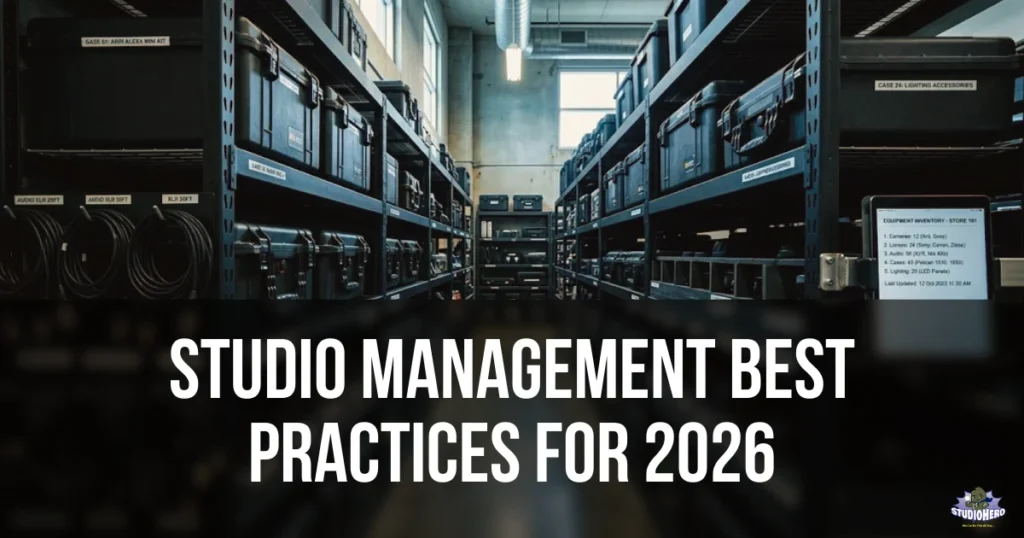
6. Maintain a Digital Equipment Inventory
Every piece of equipment the studio owns should exist in a digital inventory with:
- Item name and description
- Serial number
- Purchase date and cost
- Current condition (excellent, good, fair, needs repair)
- Current location (which room, checked out to whom)
- Photo
A digital inventory inside your studio equipment management system replaces the mental catalogue that currently lives in one person’s head—and leaves when that person does.
7. Implement a Checkout and Return Process
Gear that leaves a room or the building must be logged. Who took it, when, and when it is due back. No exceptions, no “I’ll just grab this quickly.”
The checkout process does not need to be complex. It needs to be consistent. A simple digital checkout form tied to your equipment tracking system takes less than 30 seconds and prevents hours of searching for missing gear.
8. Schedule Preventive Maintenance
Do not wait for equipment to fail during a session. Schedule maintenance proactively:
- Weekly: Visual inspection of high-use items (cables, connectors, microphones)
- Monthly: Deep cleaning of consoles, cameras, and studio monitors
- Quarterly: Full technical check of all major equipment, firmware updates, calibration
- Annually: Professional servicing of critical systems (HVAC, acoustic treatment, electrical)
Studios that maintain equipment proactively experience 60% fewer session disruptions than studios that repair reactively.
9. Track Equipment Utilization
Not all equipment justifies its cost. Track which gear is used frequently and which sits idle. Equipment that has been used fewer than five times in the past quarter should be evaluated — can it be sold, rented out, or does it serve a niche purpose that justifies the investment?
Utilization data also tells you when high-demand equipment needs backup inventory. If your primary set of wireless lavaliers is booked on 80% of sessions, you need a second set before the first fails.
10. Manage Digital Assets With the Same Rigor
Media asset management is equipment management for digital resources. Project files, raw footage, session recordings, graphics, and final deliverables need the same systematic tracking as physical gear — who created it, where is it stored, what is its status, and who has access.
Post-production facilities handle this at massive scale, but every studio that produces content needs a media asset workflow.
Get to know more about Studio Equipment Management Best Practices: Tracking, Maintenance & Utilization →
Financial Management Best Practices
A studio can be booked solid and still lose money. Financial management is the domain that ensures activity converts to profitability. These practices apply whether you manage finances for a small photography studio or a multi-site broadcast facility.
11. Track Finances at the Project Level
Studio-wide revenue reporting tells you the business is making money. Project-level financial tracking tells you WHERE the money is made and WHERE it is lost.
Every production should have:
- An estimate created before work begins
- Actual costs tracked against that estimate during the project
- A final profitability calculation after delivery
Your studio finance management system should connect estimates, actuals, and invoices to each project automatically.
12. Invoice Within 24 Hours of Project Completion
The longer you wait to invoice, the longer you wait to get paid. Studios that invoice within 24 hours of delivery get paid an average of 15 days faster than studios that invoice weekly or “when they get to it.”
Studio invoicing should be connected to your project records so generating the invoice takes minutes, not hours.
13. Know Your True Cost Per Hour
Most studios set their hourly rate based on what competitors charge. Better studios calculate their actual cost per hour first, then set the rate above that with a target margin.
| Category | Monthly Cost |
| Rent | $5,000 |
| Utilities | $800 |
| Insurance | $400 |
| Equipment Depreciation | $1,200 |
| Staff | $8,000 |
| Software / Tools | $600 |
| Maintenance | $300 |
| Total | $16,300 |
Available billable hours: 200/month
True cost per hour: $81.50

Minimum rate to break even: $82/hour
Target rate at 40% margin:  $136/hour
If your studio charges $100/hour without knowing the true cost is $82, you are running on a razor-thin 18% margin that evaporates with one slow month.
14. Use Budgets as Control Tools, Not Just Planning Documents
A budget created before a production starts is a plan. A budget tracked during the production is a control tool. Most studios create budgets but never compare actuals against them until the project is over and the money is already spent.
Studio budgeting tools that update in real time let you catch overruns before they become losses.
15. Separate Revenue Streams in Reporting
Your studio likely earns money from multiple sources — studio rental, production services, equipment rental, post-production, storage, and ancillary services. Track each stream separately.
This reveals which parts of your business are most profitable and where to invest for growth. A recording studio might discover that mixing and mastering services generate higher margins than session recording, guiding strategic decisions about pricing and capacity allocation.
Learn more about Studio Financial Management Best Practices: Invoicing, Budgeting & Profitability →
Team and Crew Management Best Practices
People make the studio work. In-house engineers, freelance camera operators, editors, producers, studio assistants, and front-of-house staff all need to be coordinated effectively. Poor team management leads to burnout, turnover, and production delays.
16. Centralize Crew Scheduling
Every team member’s schedule, availability, time-off requests, and assignments should live in one system. A crew management platform prevents the scenario where two producers book the same engineer for overlapping sessions because they each checked different calendars.
This is especially critical for film and video productions and broadcast studios where crew sizes are large and scheduling complexity is high.
17. Maintain a Freelancer Database
Most production studios rely heavily on freelance crew. Build and maintain a database of every freelancer you have worked with, including:
- Name, contact information, and location
- Skills and specialties
- Rates (day rate, half-day, hourly)
- Equipment they own (relevant for camera operators, sound engineers)
- Availability preferences
- Past projects with your studio
- Performance notes
When a project requires a freelance gaffer or a second camera operator, your team should be able to search the database and find three qualified options in under two minutes — not spend an hour calling around.
18. Distribute Call Sheets and Session Details 24 Hours in Advance
Every person involved in a production or session should receive complete details at least 24 hours before the call time. This includes:
- Date, call time, and estimated wrap time
- Location and room assignment
- Project or client name
- Their specific role and responsibilities
- Equipment they need to bring (if applicable)
- Parking, access, and special instructions
- Contact person for questions
Late or missing call sheets cause late arrivals, unprepared crew, and wasted session time.
19. Track Workload to Prevent Burnout
Monitor how many hours each team member is working weekly. Staff consistently working 50+ hour weeks will eventually make mistakes, get sick, or quit. All three are expensive.
A visible workload dashboard — built into your production management system — lets managers redistribute work before anyone hits the breaking point.
20. Cross-Train for Critical Roles
If only one person knows how to operate the mixing console, calibrate the color suite, or run the studio’s booking system, you have a single point of failure. Cross-train at least two people on every critical function.
Explore more about Production Team & Crew Management Best Practices →
Client Management Best Practices
Studios are service businesses. The quality of the client experience determines whether a client books once or becomes a long-term account. These practices build the kind of client relationships that generate recurring revenue and referrals.
21. Respond to Every Inquiry Within 2 Hours During Business Hours
Speed of response is the single strongest predictor of whether an inquiry converts to a booking. Studios that respond within 2 hours win the booking. Studios that respond “tomorrow” lose it to the competitor who responded today.
If your team cannot manually respond that quickly, a client booking portal with automated confirmation handles it instantly.
22. Maintain Complete Client Records
Every client interaction — emails, calls, meetings, project notes, preferences, complaints, compliments — should be logged in a centralized client record. When any team member picks up a client conversation, they should have full context without asking the client to repeat themselves.
This is not optional for studios serving enterprise clients. A creative agency managing multiple brand accounts or a film production studio working with network executives needs impeccable client records.
23. Set Expectations Before the Project Starts
The majority of client dissatisfaction comes not from poor work but from unmet expectations that were never explicitly set. Before every project, confirm in writing:
- Scope of work and deliverables
- Timeline with specific milestone dates
- Number of revision rounds included
- What is and is not included in the quoted price
- Payment terms and schedule
- Cancellation and rescheduling policies
Clients who know exactly what to expect rarely complain.
24. Provide Project Visibility Without Being Asked
Do not wait for the client to ask “where are we on this?” Proactive updates — even a simple weekly status email — reduce client anxiety and build trust. Studios using production management tools with client-facing dashboards eliminate this friction entirely.
25. Follow Up After Delivery
The project is not complete when the files are delivered. It is complete when the client confirms satisfaction. A structured post-delivery follow-up — within 48 hours of final delivery — accomplishes three things:
- Catches any issues before they become complaints
- Opens the door for testimonials and referrals
- Creates a natural opportunity to discuss the next project
Learn more about Studio Client Management Best Practices: Communication, Onboarding & Retention →
Studio Operations and Workflow Best Practices
Operations is the connective tissue between all other domains. It is how scheduling, equipment, finances, crew, and clients work together as a system rather than as separate functions managed by separate people who rarely communicate.
26. Document Every Repeatable Process as an SOP
A Standard Operating Procedure is a written, step-by-step description of how a specific task should be completed. Every studio should have SOPs for at least:
- New client intake and onboarding
- Session booking and confirmation
- Studio setup and teardown by room type
- Equipment checkout and return
- Invoice generation and payment follow-up
- End-of-day closing procedures
When a process exists only in someone’s head, it cannot be trained, audited, or improved. When it is written as an SOP, anyone on the team can execute it consistently.
This practice is non-negotiable for post-production facilities and broadcast studios where workflow consistency directly affects output quality.
27. Use One Platform for Studio Operations
The average studio uses 5-7 disconnected tools — a calendar app for scheduling, a spreadsheet for equipment, an email thread for client communication, accounting software for invoicing, a messaging app for crew coordination, and a shared drive for documents.
Every disconnection creates an information gap. Every gap creates a risk.
A unified studio operations management platform eliminates these gaps by connecting scheduling, equipment, clients, projects, and finances in one system. The result is not just efficiency — it is visibility. When everything is connected, you can see how a scheduling change affects resource availability, which affects the budget, which affects the invoice.
28. Run a Weekly Operations Review
Set a 30-minute weekly meeting with your studio management team. The agenda is always the same:
| Review Item | Time | Source |
| Upcoming week’s schedule — any conflicts or gaps? | 5 min | Studio scheduling |
| Equipment status — anything in maintenance or missing? | 5 min | Equipment management |
| Active projects — any at risk of delay? | 5 min | Production management |
| Financials — outstanding invoices, upcoming payments? | 5 min | Studio finance |
| Team — anyone overloaded, any upcoming time off? | 5 min | Crew management |
| Client issues — any open complaints or opportunities? | 5 min | Client records |
This single meeting prevents more problems than any other practice on this list. Issues caught on Monday rarely become crises by Friday.
29. Automate Before You Hire
When the studio feels overwhelmed, the instinct is to hire another person. Often the real solution is automating the repetitive tasks that consume existing staff.
Common studio tasks that can be automated:
- Booking confirmations and reminders → automated emails
- Invoice generation after project completion is triggered by status change
- Equipment availability updates → real-time system tracking
- Session reminders to clients → automated 24 hours before
- Report generation → scheduled weekly/monthly
Automation does not replace people. It frees people to do work that actually requires human judgment — like client relationships, creative problem-solving, and quality control.
30. Build Your Operations Around Exceptions, Not Rules
The daily routine of a well-managed studio handles itself — bookings are confirmed, equipment is where it should be, invoices go out on time. Your management energy should focus on exceptions:
- The session that ran over and displaced the next booking
- The equipment that came back damaged
- The client who disputes an invoice
- The freelancer who cancelled last minute
Design your SOPs and systems to handle the 90% that is routine. Spend your management attention on the 10% that is not.
For the complete operations deep-dive: Studio Operations Best Practices: SOPs, Workflows & Capacity Planning →
How Best Practices Differ by Studio Type
While the 30 practices above apply broadly, the priority and emphasis shift based on your studio’s industry. Here is where to focus first:
| Studio Type | Top Priority Practices | Dedicated Guide |
| Film & video production | Crew scheduling, production budgeting, project lifecycle management | Film studio management guide → |
| Recording & audio post | Session scheduling with buffer time, equipment maintenance, recurring client management | Recording studio management guide → |
| Broadcast TV & radio | Tight scheduling discipline, crew shift management, workflow SOPs | Broadcast studio management guide → |
| Podcast studios | Self-service booking, standardized pricing, room turnover efficiency | Podcast studio management guide → |
| Photography studios | Client booking experience, equipment and prop management, invoicing speed | Photography studio management guide → |
| Creative agencies | Project management, client communication, workload balancing | Creative agency studio management → |
| Equipment rental houses | Inventory tracking, checkout/return process, maintenance scheduling | Equipment rental management guide → |
| Post-production facilities | Media asset management, project workflow, version control | Post-production management guide → |
Implementation: Where to Start
You do not need to implement all 30 practices at once. Start with the three that address your studio’s biggest current pain points.
If Your Biggest Pain Is Scheduling Chaos
Start with practices 1, 2, and 3. Get a centralized calendar, add buffer time, and enforce a cancellation policy. These three changes alone reduce scheduling problems by 70%+ for most studios.
→ See how studio scheduling works in Studio Hero
If Your Biggest Pain Is Financial Uncertainty
Start with practices 11, 13, and 14. Track finances at the project level, calculate your true cost per hour, and use budgets as active control tools.
→ See how studio finance management works in Studio Hero
If Your Biggest Pain Is Operational Chaos
Start with practices 26, 27, and 28. Document your SOPs, consolidate onto one platform, and start weekly operations reviews.
→ See how studio operations management works in Studio Hero
If You Are Not Sure Where to Start
Take the studio management assessment in our complete guide and identify which of the six management domains needs the most attention. Then come back to the corresponding section in this article.
Studio Management Best Practices Checklist
Use this as a quarterly self-audit. Score your studio honestly on each practice:
SCHEDULING & BOOKING
- Single centralized calendar for all rooms and resources
- Buffer time included in every booking
- Written cancellation policy enforced
- Client self-service booking available
- Utilization rate tracked weekly
EQUIPMENT & RESOURCES
- Complete digital inventory of all equipment
- Checkout/return process enforced
- Preventive maintenance on schedule
- Equipment utilization tracked
- Digital assets managed systematically
FINANCIAL MANAGEMENT
- Project-level financial tracking active
- Invoicing within 24 hours of delivery
- True cost per hour calculated and current
- Budgets tracked against actuals during projects
- Revenue streams reported separately
TEAM & CREW
- Centralized crew scheduling
- Freelancer database maintained and current
- Call sheets/details sent 24+ hours in advance
- Workload monitored for burnout risk
- Critical roles cross-trained
CLIENT MANAGEMENT
- Inquiry response within 2 business hours
- Complete client records maintained
- Written scope and expectations before every project
- Proactive project status updates provided
- Post-delivery follow-up process active
OPERATIONS & WORKFLOWS
- SOPs documented for all repeatable processes
- Operations consolidated on one platform
- Weekly operations review meeting held
- Repetitive tasks automated where possible
- Management focus on exceptions, not routine
For the complete daily, weekly, and monthly version, see our Studio Management Checklist.
Frequently Asked Questions
The five most impactful studio management best practices are using a single centralized scheduling calendar, tracking finances at the project level, documenting all repeatable processes as SOPs, maintaining a complete digital equipment inventory, and responding to client inquiries within two hours. These five practices address the root causes of most studio management problems.
Studio management practices should be reviewed quarterly using a self-assessment checklist. Key performance indicators like utilization rate, on-time delivery rate, and project profitability should be reviewed monthly. Daily and weekly operational routines should follow documented standard operating procedures that are updated whenever the process changes.
A well-managed production studio targets a utilization rate between 70% and 80%. Below 60% typically indicates pricing, marketing, or booking friction issues. Above 85% risks burnout, quality decline, and no buffer capacity for unexpected opportunities or maintenance.
Yes, but at different scale and formality. A single-room studio still needs a centralized calendar, equipment tracking, proper invoicing, and documented processes. The difference is that a small studio can implement these with simpler tools, while a multi-site enterprise facility needs a comprehensive studio management platform with role-based access, advanced reporting, and multi-location visibility.
The core practices apply to every studio type, but priorities differ. Film and video production studios prioritize crew scheduling and production budgeting. Recording studios prioritize session scheduling and equipment maintenance. Broadcast studios prioritize tight scheduling discipline and workflow SOPs. Podcast studios prioritize self-service booking and room turnover efficiency.
Start with a single centralized scheduling calendar. Scheduling is the foundation of studio operations. When the calendar is accurate and accessible, most other operational improvements become easier to implement. A centralized studio scheduling system with a client booking portal addresses both internal coordination and external client experience simultaneously.
Next Steps
If your studio is ready to consolidate scheduling, equipment tracking, project management, client management, and financial operations into one platform built for production studios, schedule a demo of Studio Hero and see how it works for your specific studio type.
Studio Hero is studio management software built for film, TV, audio, video, podcast, and photography production studios. See pricing or book a free demo.