Studio operations is the connective tissue between every other management domain. Scheduling, equipment, finances, crew, and clients each have their own best practices, but operations is where they all come together. It is the domain that determines whether your studio runs as a coordinated system or as a collection of disconnected activities managed by individual heroics.
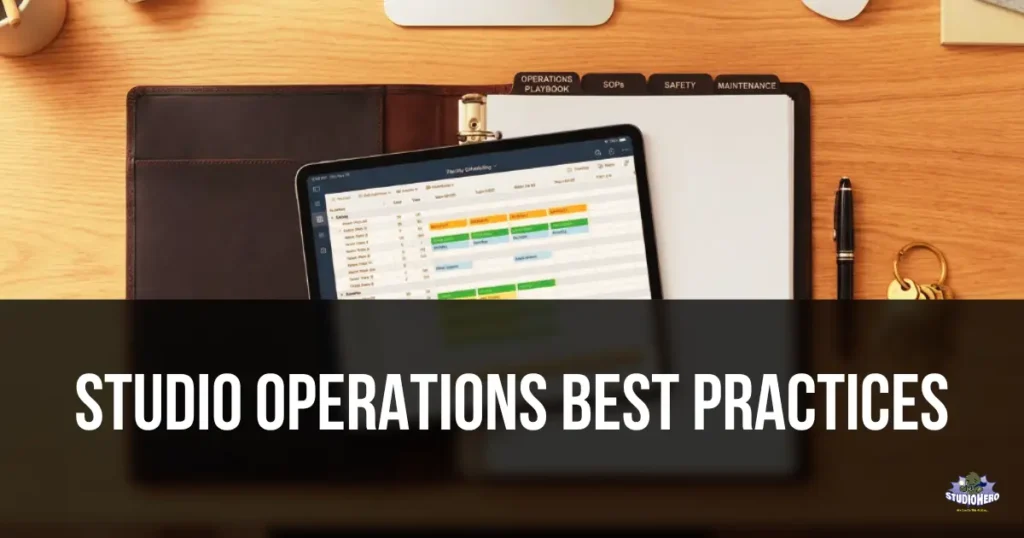
Studios with strong operations handle routine tasks automatically, catch problems through consistent review rhythms, document their processes so any team member can execute them, and make decisions based on data rather than gut feeling. Studios with weak operations reinvent their processes every day, depend on one or two people who hold all the knowledge, and spend more time fighting fires than building the business.
This guide covers the specific operational practices that create a self-sustaining studio. These apply whether you run a podcast studio with simple workflows, a film production facility with complex multi-phase productions, a broadcast operation with zero-tolerance deadlines, or an equipment rental house where logistics are the core function.
This article is the operations deep dive within our Studio Management Best Practices framework. The parent article covers best practices across every domain at summary level. This guide goes deep on operations specifically.
1. Document Every Repeatable Process as a Written SOP
A Standard Operating Procedure is a written, step-by-step description of how a specific task should be completed. When a process exists only in someone’s head, it cannot be trained, audited, delegated, or improved. When it is written as an SOP, anyone on the team can execute it consistently.
Every studio should have documented SOPs for at minimum these processes:
| Process | Why an SOP Is Needed |
| New client intake and onboarding | Ensures every new client receives the same professional welcome regardless of who handles the inquiry |
| Booking confirmation and communication | Standardizes what information the client receives and when |
| Room setup by session type | Ensures equipment configuration is correct and consistent for every session |
| Room teardown and reset | Ensures the room is ready for the next session without the next engineer discovering problems |
| Equipment checkout and return | Prevents the “nobody logged it” problem that leads to lost gear |
| Invoice generation and sending | Ensures invoices go out within 24 hours with the correct details |
| Payment follow-up for overdue invoices | Defines when and how to escalate late payments |
| Opening procedures (start of business day) | Ensures the studio is ready before the first session |
| Closing procedures (end of business day) | Ensures the studio is secured and equipment is properly shut down |
| New team member onboarding | Gets new hires productive without requiring weeks of shadowing |
| Emergency procedures | Power outage, equipment failure during session, medical emergency, fire |
Write each SOP in simple, sequential steps. Include who is responsible, what they do, what tools or systems they use, and what the expected outcome looks like. Avoid jargon that a new team member would not understand.
For guidance on building your SOP library with prioritized templates, see our guide on essential SOPs every studio needs.
2. Use One Platform for All Studio Operations
The average production studio uses five to seven disconnected tools: a calendar app for scheduling, a spreadsheet for equipment inventory, an email inbox for client communication, accounting software for invoicing, a messaging app for crew coordination, a shared drive for documents, and possibly another spreadsheet for project tracking.
Every disconnection between tools creates an information gap. Every gap creates a risk: a booking made in one tool that does not appear in another, a project cost tracked in a spreadsheet that never reaches the accounting system, a client request sitting in an inbox that the project manager never sees.
Centralizing operations into a single studio operations management platform eliminates these gaps. When scheduling, equipment tracking, invoicing, budgeting, production management, crew management, client booking, inventory management, and media asset management share the same data, decisions that used to require checking four different tools happen in seconds.
The efficiency gain is not just speed. It is context. When the scheduling system knows what equipment is available, who is assigned, what the client’s billing status is, and where the project stands, every team member has the full picture without assembling it manually from multiple sources.
For studios making this transition, see our guide on centralizing studio operations without spreadsheets.
3. Run a Weekly Operations Review
A 30-minute weekly meeting focused exclusively on operations prevents more problems than any other single habit. This is not the team meeting (which covers people and projects). This is the systems meeting that reviews the health of the studio’s operational infrastructure.
The weekly operations review agenda:
| Review Item | Time | What to Look For |
| Schedule review for the coming week | 5 min | Conflicts, gaps, rooms needing special setup, bookings missing crew assignment |
| Equipment status | 5 min | Items in maintenance, items overdue for return, upcoming maintenance tasks |
| Financial snapshot | 5 min | Invoices sent this week, overdue invoices requiring follow-up, expenses to record |
| Active project status | 5 min | Projects at risk of delay, budget warnings, deliverables approaching deadline |
| Team and crew | 5 min | Anyone approaching overtime, upcoming time-off affecting coverage, freelancer confirmations pending |
| Operational issues from previous week | 5 min | What went wrong, what caused it, what change prevents it from recurring |
The review should happen on the same day each week, ideally Monday morning. The studio manager leads it. In a small studio, this is a solo review. In a larger studio, department leads participate.
The critical final item, reviewing previous week’s issues, is what turns this meeting from a status check into a continuous improvement engine. Studios that ask “what went wrong and how do we prevent it?” every week improve measurably month over month. Studios that skip this question repeat the same studio operations mistakes indefinitely.
For detailed guidance on running effective studio meetings, see our meeting productivity guide.
4. Map Every Workflow Before Optimizing It
You cannot improve a process you have not described. Yet most studios have never mapped their workflows. The work just happens however the person doing it decides to do it that day.
Workflow mapping means documenting the exact sequence of steps for each core process, from trigger to completion:
| Workflow | Trigger | End State | Typical Steps |
| Client booking | Inquiry arrives | Session confirmed on calendar | Inquiry received, availability checked, quote sent, client confirms, booking created, equipment reserved, crew assigned, confirmation sent |
| Session execution | Session day arrives | Room reset and ready for next use | Room setup per preset, equipment verified, client greeted, session conducted, teardown, equipment returned, files backed up, room reset |
| Project delivery | Final output approved | Files delivered and invoice sent | Final review, output rendered, delivery package prepared, files sent to client, delivery confirmed, invoice generated, invoice sent |
| Equipment maintenance | Scheduled maintenance date | Equipment inspected and condition updated | Pull maintenance list, inspect each item, clean and test, log condition, flag repairs needed, update inventory records |
Once you can see all the steps, you can identify where time is wasted:
| Waste Type | Example | Fix |
| Waiting | Engineer waits 20 minutes for client to arrive because no reminder was sent | Automated 48-hour and morning-of reminders |
| Duplication | Same client information entered into scheduling system and invoicing system separately | Unified platform where data enters once |
| Manual work that could be automated | Studio manager manually sends booking confirmation emails for every session | Automated confirmation triggered by booking creation |
| Unnecessary steps | Three approvals required to check out a standard microphone | Simplify checkout to one-step self-service for standard items |
| Information gaps | Engineer does not know the session’s technical requirements until the client arrives | Session details distributed 24 hours in advance |
Map your three highest-volume workflows first. Time each step over five occurrences to find the average. The mapping itself often reveals improvements that nobody noticed while just doing the work.
For strategies to streamline operations after mapping, see our efficiency guide. For the complete efficiency framework, see How to Manage a Production Studio Efficiently.
5. Automate Repetitive Tasks Before Hiring
When the studio feels overwhelmed, the instinct is to hire another person. Often the real solution is automating the repetitive tasks that consume existing staff time.
Tasks that should be automated first:
| Task | Manual Time | Automated Approach |
| Booking confirmation emails | 5 to 10 min per booking | Auto-triggered by booking creation in studio scheduling |
| Session reminders (48-hour and morning-of) | 5 to 10 min per session | Auto-triggered by scheduling system based on session date |
| Invoice generation after project completion | 15 to 30 min per invoice | Auto-generated from project data in studio invoicing |
| Payment reminders for overdue invoices | 5 to 10 min per reminder | Auto-triggered at defined intervals (7, 14, 30 days overdue) |
| Equipment availability updates | Variable | Real-time system tracking in equipment tracking |
| Calendar synchronization | 10 to 15 min daily | Automatic sync between studio calendar and team calendars |
| Weekly utilization report | 20 to 30 min per week | Auto-calculated from scheduling data |
Each automated task saves a small amount of time per occurrence. But small savings across dozens of daily and weekly occurrences compound into hours per week. A studio that automates seven routine tasks saving an average of 10 minutes each, occurring 20 times per week, recovers approximately 23 hours per month. That is nearly a full-time work week returned to productive use without hiring anyone.
Automation does not replace people. It frees people to do work that actually requires human judgment: client relationships, creative problem-solving, quality control, and strategic planning.
6. Build a Consistent Daily Rhythm
Studios that run on a consistent daily rhythm operate more smoothly than studios where every day starts differently. A defined rhythm means the same essential tasks happen at the same times every day regardless of who is managing that day.
The daily operational rhythm:
| Time | Activity | Purpose |
| 30 min before first session | Morning schedule review | Verify all bookings, check for conflicts, confirm crew assignments, identify special setup needs |
| 30 min before first session | Facility walkthrough | Check all rooms in use today, verify equipment is in place, confirm rooms are clean and ready |
| Throughout the day | Session handoffs | Between sessions, verify room reset, equipment return, and next session prep completion |
| After last session | End-of-day check | Secure all rooms, power down equipment properly, log any issues that arose during the day, note supplies that need restocking |
| After last session | Daily financial tasks | Record any expenses from the day, check for incoming payments, send any invoices due |
This rhythm is the foundation of the Studio Management Checklist daily section. When it becomes habit, the studio starts each day prepared and ends each day organized, regardless of how intense the sessions in between were.
The rhythm also reduces key person dependency. When the daily routine is documented and consistent, any team member can open or close the studio following the same steps. The studio does not grind to a halt because the usual manager is out.
7. Manage Studio Capacity Proactively
Capacity planning means understanding how much work your studio can handle and making decisions before you hit the limit rather than after.
Studio capacity is determined by three resources:
| Resource | How to Calculate Capacity |
| Room availability | Number of rooms x bookable hours per day x operating days per month |
| Equipment availability | Number of key equipment sets that can operate simultaneously |
| Crew availability | Number of qualified crew x their available hours |
Your actual capacity is the lowest of these three. A studio with three rooms but only two engineers can only run two simultaneous sessions regardless of room availability. A studio with two engineers and three rooms but only one camera package can only run one video shoot at a time.
Capacity planning actions:
| Utilization Level | Action |
| Consistently below 50% | Demand issue. Focus on marketing, pricing, and booking friction before adding capacity. |
| 50% to 70% | Growth phase. Optimize scheduling to fill gaps. Consider off-peak pricing. |
| 70% to 85% | Healthy but approaching limits. Begin planning for capacity expansion (additional equipment, freelancer relationships, extended hours). |
| Above 85% | At capacity. Quality and team sustainability are at risk. Expand now through new rooms, additional crew, extended operating hours, or price increases to manage demand. |
Track capacity utilization as a studio management KPI and review monthly. Reacting to capacity constraints after clients start getting turned away means lost revenue and damaged relationships. Anticipating constraints and expanding proactively maintains growth without disruption.
For room-level utilization strategies, see our guide on turning every room into a revenue generator.
8. Establish a Change Management Process
Studios change constantly. New equipment arrives. Pricing adjusts. A new service offering launches. A process gets updated. A team member leaves and responsibilities shift.
Without a change management process, these changes happen inconsistently. Some team members learn about the change. Others do not. The old process and new process run in parallel, creating confusion. Clients receive inconsistent information.
A simple change management process:
| Step | What Happens |
| Document the change | What is changing, why, when the change takes effect, and who is affected |
| Update affected SOPs | If the change modifies a process, update the written SOP before the change goes live |
| Communicate to the team | Announce the change in the weekly team meeting or via a dedicated communication. Confirm everyone understands. |
| Communicate to clients (if applicable) | If the change affects clients (pricing, policies, services), notify them with appropriate lead time |
| Verify implementation | After one week, confirm that the change has been adopted consistently. Address any gaps. |
Changes that skip this process create the operational drift where the studio’s documented procedures no longer match what actually happens. Over six months of undocumented changes, the SOPs become fiction, new team members receive outdated training, and the studio manager becomes the only person who knows the current reality.
9. Conduct Monthly Operational Audits
A monthly audit is a structured review of whether the studio’s operations are running as designed. It catches the gradual drift that weekly reviews miss and the systemic issues that daily routines cannot reveal.
The monthly audit covers:
| Audit Area | What to Review | Source |
| Scheduling accuracy | Were there any double bookings, missed bookings, or scheduling errors this month? | Studio scheduling logs |
| Equipment inventory | Full inventory audit. Is every item accounted for? Any condition changes? | Equipment tracking records and physical walkthrough |
| Financial reconciliation | Do invoicing records match bank deposits? Are all expenses recorded? | Studio finance management vs. bank statements |
| SOP compliance | Were SOPs followed consistently? Any processes being bypassed? | Observation, team feedback, incident logs |
| Client satisfaction signals | Any complaints, lost clients, or declining repeat bookings? | Client records, feedback notes |
| Maintenance compliance | Were all scheduled maintenance tasks completed on time? | Maintenance logs in studio management checklist |
| KPI review | Are all tracked metrics trending in the right direction? | Studio management KPIs dashboard |
The audit should take two to three hours once per month. Schedule it on the same date each month and treat it as a non-cancellable commitment. Findings should result in specific actions with assigned owners and deadlines, not vague “we should improve this” notes.
For the studio operations metrics that feed into this audit, see our metrics guide.
10. Build Resilience Against Key Person Dependency
Key person dependency is the operational risk where one individual holds critical knowledge, relationships, or skills that the studio cannot function without. When that person takes a vacation, gets sick, or leaves, the studio’s operations degrade or halt.
Every studio should ask: “If any one person on our team did not show up for two weeks with zero notice, what would break?” The answers reveal your key person dependencies.
Building resilience:
| Practice | How It Reduces Dependency |
| Documented SOPs for every critical process | Knowledge exists in written form, not just in one person’s head |
| Cross-training (at least two people per critical function) | If Person A is unavailable, Person B can execute |
| Centralized systems with shared access | Client records, schedules, and financial data are in the system, not in someone’s personal inbox or notebook |
| Documented vendor and supplier contacts | If the person who manages vendor relationships is absent, someone else can reach the right contacts |
| Written client notes and relationship history | If the person who manages key client accounts is absent, the relationship context is accessible to others |
| Emergency succession plan | For the studio manager or owner: who makes decisions if they are unexpectedly unavailable? |
The test for whether you have resolved key person dependency: can the studio operate at 80% effectiveness for two weeks if any single person is absent? If the answer is no for any team member, that dependency needs to be addressed before it becomes a crisis.
For the common studio management mistakes related to key person dependency, see mistake #8 in our mistakes guide.
11. Review and Update SOPs Quarterly
SOPs that are written once and never updated become outdated. Outdated SOPs become ignored. Ignored SOPs provide zero value.
Review every SOP quarterly using three questions:
| Question | What It Reveals |
| “Does this SOP still match what we actually do?” | If the team has drifted from the documented process, either the process or the SOP needs to change |
| “Has anything changed that affects this process?” | New tools, new policies, new team members, new client expectations |
| “Is there a better way to do this?” | Processes should improve over time as the team gains experience and new tools become available |
Mark each SOP with a “last reviewed” date. SOPs not reviewed in the past 90 days should be flagged for the next quarterly review cycle.
Assign SOP ownership. Each SOP should have one person responsible for keeping it current. That person does not need to perform the process daily, but they need to know whether it still reflects reality and update it when it does not.
12. Define and Enforce Studio Policies
Policies are the rules that govern how the studio operates and interacts with clients. They are different from SOPs (which describe how to execute a process). Policies define the boundaries and standards that SOPs operate within.
Essential studio policies:
| Policy | What It Defines |
| Cancellation policy | Notice requirements and charges for cancellations at different intervals |
| Payment terms | When payment is due, deposit requirements, late payment consequences |
| Equipment use policy | Rules for handling studio equipment, damage liability, personal equipment use |
| Studio conduct policy | Expected behavior for clients and crew in the facility (noise levels between studios, food and drink restrictions, smoking) |
| Overtime and after-hours policy | Rates for sessions extending beyond booked time, after-hours access procedures |
| Storage and data retention policy | How long project files are stored, client responsibility for backup, storage fees |
| Revision policy | Number of included revision rounds, cost of additional rounds, how revisions should be submitted |
Policies should be:
- Written (not verbal agreements that vary by who communicates them)
- Visible (included in booking confirmations, contracts, and the client booking portal)
- Enforced consistently (applying to every client equally, not selectively)
- Reviewed annually (policies that no longer serve the studio should be updated or removed)
Studios without written policies handle every exception ad hoc, which creates inconsistency, client confusion, and revenue loss when policies that should protect the studio do not exist.
13. Plan for Emergencies and Business Continuity
Every studio will eventually face an emergency. Power outage during a session. Equipment failure that halts production. Water leak that damages equipment. Key team member sudden absence. Internet outage that disables cloud-based systems. The studios that handle emergencies well are the ones that planned for them before they happened.
Essential emergency plans:
| Emergency | Plan |
| Power outage during session | UPS (uninterruptible power supply) for critical recording equipment. Save procedures for active sessions. Client communication template. Backup recording options. |
| Critical equipment failure mid-session | Backup equipment identified for every critical item. Swap procedure documented. Client compensation policy for lost session time. |
| Internet outage | Offline access to scheduling information. Client contact list accessible without internet. Backup communication method (phone numbers, not just email). |
| Key person absence (sudden) | Cross-trained backup for every critical role. Access to all systems and passwords. Emergency contact list. |
| Facility issue (water, fire, security) | Emergency evacuation procedure. Insurance claim process. Client notification template. Alternative facility contacts for urgent rescheduling. |
Document these plans. Share them with the entire team. Review them annually. An emergency plan that exists only in the owner’s head provides zero value when the emergency happens and the owner is the one who is unavailable.
14. Measure Operations With Data, Not Feeling
“The studio feels busy” is not a metric. “Room utilization was 72% this week” is a metric. “Clients seem happy” is not a metric. “Client retention rate is 54% this quarter” is a metric. Feelings are unreliable. Data is actionable.
Operational metrics to track:
| Metric | What It Tells You | Tracking Frequency |
| Room utilization rate | How effectively the studio uses its primary asset | Weekly |
| Equipment downtime rate | How reliably equipment performs during sessions | Monthly |
| SOP compliance rate | How consistently processes are followed | Monthly (observation-based) |
| Average admin time per booking | How efficiently the booking process runs | Monthly |
| Issue recurrence rate | Whether the same problems keep happening | Monthly |
| On-time session start rate | How often sessions begin at the scheduled time | Weekly |
| Client first response time | How quickly inquiries receive a reply | Weekly |
Each metric should have a target, a current value, and a trend direction. Metrics that decline for three consecutive measurement periods trigger investigation and action, not just observation.
For the complete metrics framework with formulas and benchmarks, see Studio Management KPIs. For studio operations metrics at the domain level, see our dedicated metrics guide.
15. Treat Operational Improvement as an Ongoing Practice
The best-run studios are never “done” improving. They treat operational improvement as a continuous practice, not a one-time project. This does not mean constant upheaval. It means consistent, small improvements that compound over months and years.
The continuous improvement cycle:
| Step | What Happens |
| Measure | Track operational metrics consistently |
| Identify | Find the metric or process with the biggest gap between current state and desired state |
| Analyze | Understand why the gap exists. Root cause, not symptoms. |
| Improve | Implement a specific change to address the root cause |
| Verify | Measure again after the change to confirm improvement |
| Standardize | If the improvement works, update the SOP to make it the new standard |
| Repeat | Move to the next biggest gap |
One improvement per month is 12 improvements per year. Over two years, that is 24 individual operational improvements, each building on the last. The compound effect transforms studio operations more reliably than any single large-scale initiative.
For the strategic planning framework that sets improvement priorities, see How to Create a Studio Management Plan. For the full efficiency building framework, see How to Manage a Production Studio Efficiently.
How Operations Practices Differ by Studio Type
| Studio Type | Highest Priority Practices | Why |
| Film and video production | Workflow mapping (#4), capacity planning (#7), emergency planning (#13), change management (#8) | Complex productions with many moving parts. Operational breakdowns during a shoot are extremely costly. |
| Recording studios | Daily rhythm (#6), SOPs (#1), centralized platform (#2), automation (#5) | High session volume requires operational consistency and efficiency. Every saved minute per session compounds across hundreds of sessions per year. |
| Broadcast studios | SOPs (#1), emergency planning (#13), key person resilience (#10), SOP review (#11) | Zero-tolerance deadlines. Operational failures have immediate on-air consequences. Redundancy and documentation are non-negotiable. |
| Podcast studios | Automation (#5), daily rhythm (#6), centralized platform (#2), policies (#12) | High-volume, lower-touch operations where efficiency and consistency determine profitability. Automation delivers the biggest proportional gains. |
| Photography studios | SOPs (#1), daily rhythm (#6), policies (#12), change management (#8) | Session-based operations where client experience depends on consistent, professional processes from booking through delivery. |
| Creative agencies | Workflow mapping (#4), capacity planning (#7), weekly review (#3), data-driven decisions (#14) | Multiple concurrent projects competing for shared resources. Operational visibility prevents overcommitment and missed deadlines. |
| Equipment rental houses | SOPs (#1), daily rhythm (#6), monthly audits (#9), policies (#12), emergency planning (#13) | Logistics-intensive operations where consistent processes determine accuracy, reliability, and asset protection. |
| Post-production facilities | Workflow mapping (#4), capacity planning (#7), automation (#5), continuous improvement (#15) | Project pipeline management with complex workflows. Operational efficiency directly determines throughput and profitability. |
The Operations Best Practices Checklist
| # | Practice | Status |
| 1 | SOPs documented for every repeatable process | Implemented / Partial / Not Yet |
| 2 | All studio operations centralized in one platform | Implemented / Partial / Not Yet |
| 3 | Weekly operations review conducted consistently | Implemented / Partial / Not Yet |
| 4 | Core workflows mapped and optimized | Implemented / Partial / Not Yet |
| 5 | Repetitive tasks automated (confirmations, reminders, reports) | Implemented / Partial / Not Yet |
| 6 | Consistent daily rhythm followed (morning review, walkthrough, end-of-day check) | Implemented / Partial / Not Yet |
| 7 | Studio capacity tracked and expansion planned proactively | Implemented / Partial / Not Yet |
| 8 | Change management process active for all operational changes | Implemented / Partial / Not Yet |
| 9 | Monthly operational audit conducted | Implemented / Partial / Not Yet |
| 10 | Key person dependencies identified and mitigated | Implemented / Partial / Not Yet |
| 11 | SOPs reviewed and updated quarterly | Implemented / Partial / Not Yet |
| 12 | Studio policies written, communicated, and enforced | Implemented / Partial / Not Yet |
| 13 | Emergency and business continuity plans documented and shared | Implemented / Partial / Not Yet |
| 14 | Operations measured with data and specific metrics | Implemented / Partial / Not Yet |
| 15 | Continuous improvement treated as ongoing practice, not one-time project | Implemented / Partial / Not Yet |
For the complete operational checklist with daily, weekly, and monthly tasks, see Studio Management Checklist. For the KPIs that measure operational performance, see Studio Management KPIs. For the mistakes that undermine operations, see Common Studio Management Mistakes.
Frequently Asked Questions
The five most impactful studio operations practices are documenting every repeatable process as a written SOP, centralizing all operations in one platform, running a weekly operations review, automating repetitive tasks before hiring additional staff, and measuring operations with specific metrics rather than feelings. These five practices create the operational foundation that makes every other management domain (scheduling, equipment, finances, team, clients) function more effectively.
Start by documenting your three highest-volume workflows (typically booking, session execution, and invoicing). Map every step as it happens today, not as you wish it happened. Time each step. Identify where time is wasted on waiting, duplication, manual work that could be automated, or information gaps. Fix the biggest waste first. Then move to the next workflow. One improvement per month is 12 improvements per year, which transforms operations more reliably than any single large initiative.
SOPs should be reviewed quarterly using three questions: does this SOP still match what we actually do, has anything changed that affects this process, and is there a better way? Each SOP should have a “last reviewed” date and an assigned owner responsible for keeping it current. SOPs not reviewed in 90 days should be flagged for the next review cycle. SOPs that are written once and never updated become outdated and eventually ignored.
An SOP (Standard Operating Procedure) describes how to execute a specific task step by step. A policy defines the rules and boundaries within which those tasks operate. For example, the cancellation policy defines what happens when a client cancels (notice requirements, charges). The booking SOP describes the step-by-step process for handling a cancellation when it occurs (how to process the cancellation, update the calendar, communicate with the client, apply the policy). Both are necessary. Policies set the rules. SOPs describe how to follow them.
Reduce key person dependency through five practices: document every critical process as a written SOP so knowledge exists outside of individual memory, cross-train at least two people on every critical function, centralize all operational data in shared systems rather than personal inboxes or notebooks, document all vendor and client relationship contacts, and create a succession plan that defines who takes over each function if any person is unexpectedly unavailable. Test your resilience by asking: can the studio operate at 80% effectiveness for two weeks if any single person is absent?
If your studio needs a platform that connects scheduling, equipment, finances, projects, crew, clients, and media assets in one unified operations system, schedule a demo of Studio Hero and see how it works for your studio type.
Studio Hero is studio management software built for film, TV, audio, video, podcast, and photography production studios. See pricing or book a free demo.