The people who work in your studio determine the quality of every session, the reliability of every delivery, and the experience of every client. Engineers, editors, producers, camera operators, sound mixers, studio assistants, and front-of-house staff are the human layer that makes the facility function. When team management works well, the right people are in the right place at the right time with the information they need. When it breaks down, sessions start late, crew members burn out, freelancers no-show, and clients deal with whoever happens to be available rather than whoever is best suited for the job.
This guide covers the specific team and crew management practices that keep production studios staffed, coordinated, and sustainable. These apply whether you manage a two-person podcast studio with occasional freelancers, a film production facility with large rotating crews, or a broadcast operation running shift-based scheduling around the clock.
This article is the team and crew deep dive within our Studio Management Best Practices framework. The parent article covers best practices across every domain at summary level. This guide goes deep on people management specifically.
1. Centralize All Crew Scheduling in One System
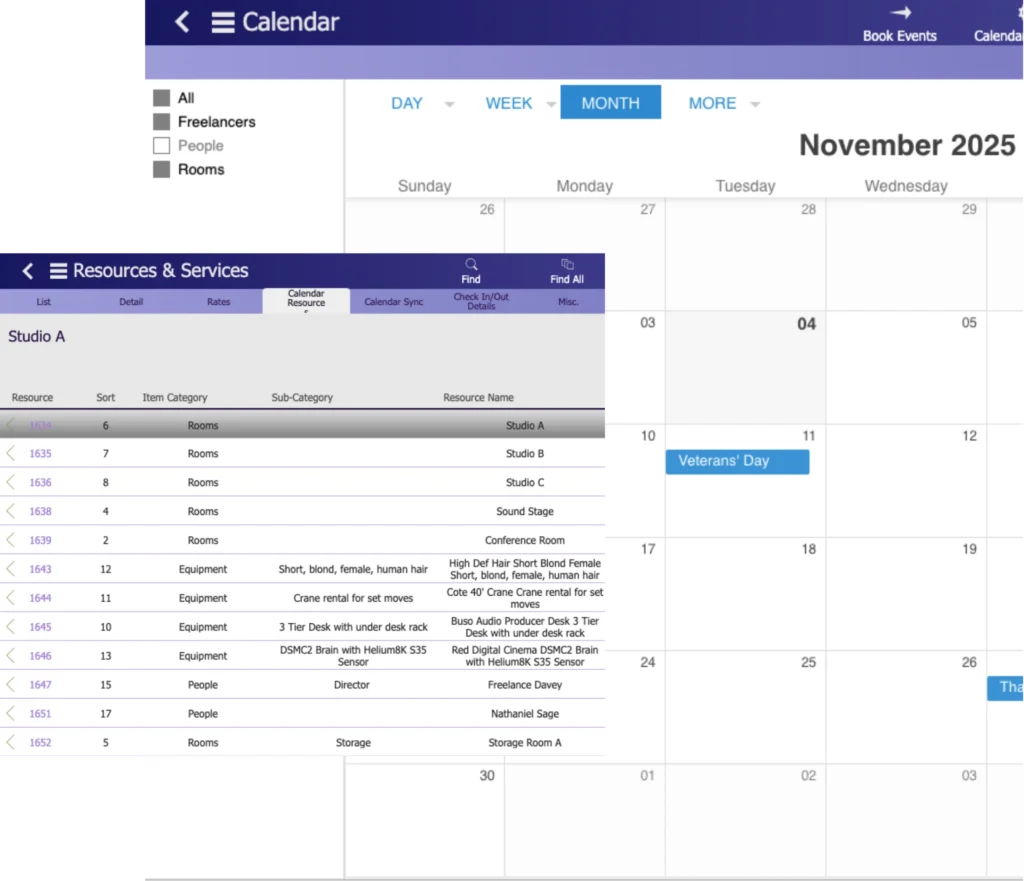
Every team member’s schedule, availability, assignments, and time-off requests should live in one place. Not a text thread for freelancers, a shared Google Calendar for in-house staff, and a whiteboard for daily assignments. One system.
When crew scheduling is distributed across multiple tools, double assignments become inevitable. Producer A checks one calendar and assigns the same engineer to a recording session. Producer B checks a different calendar and assigns that engineer to a video shoot at the same time. Nobody discovers the conflict until the morning of the session when the engineer can only be in one room.
A centralized crew management system eliminates this by making every assignment, every availability window, and every time-off request visible to everyone who makes scheduling decisions. When someone asks “Is Sarah available Thursday afternoon?” the answer is visible in seconds without texting Sarah, checking with another producer, or hoping nobody else already booked her.
For studios already experiencing these problems, see our guide on crew scheduling conflicts in film and video production which covers both the causes and the prevention strategies.
2. Schedule Crew Alongside Room Bookings, Not After
The most common crew management mistake is treating crew assignment as a follow-up task after the room is booked. The studio confirms a session, blocks the room, and then starts looking for an available engineer or operator. By that point, the best people may already be assigned elsewhere.
Crew scheduling should happen simultaneously with room booking. When a session is created in your studio scheduling system, the system should immediately show which crew members are available for that time slot. The booking is not complete until a room, equipment, and crew are all confirmed.
This parallel scheduling approach prevents three problems:
| Problem | Cause | Prevention |
| Sessions staffed with whoever is left | Crew assigned after room booking, when top choices are already taken | Assign crew at time of booking |
| Last-minute scramble for freelancers | In-house staff already committed, discovered too late | Availability visible at booking time |
| Higher costs from rush freelancer bookings | Short-notice freelancers charge premium rates | Advance booking enabled by simultaneous scheduling |
Your studio operations management platform should connect room scheduling, equipment tracking, and crew management so all three resources are confirmed together, not in sequence.
3. Maintain a Current Freelancer Database
Most production studios depend on freelance crew for some portion of their work. Camera operators, additional engineers, editors, gaffers, production assistants, and specialized technicians are often booked per project rather than employed full-time.
Studios that manage freelancers well maintain a structured database. Studios that manage freelancers poorly rely on memory, personal contacts, and frantic text messages when a project requires extra hands.
Your freelancer database should include:
| Field | Why It Matters |
| Name and contact information | Obvious, but should include preferred communication method (some freelancers respond faster to text, others to email) |
| Skills and specialties | Match the right person to the right job without guessing |
| Day rate, half-day rate, and hourly rate | Know the cost before you book, not after |
| Equipment they own | Relevant for camera operators, sound engineers, and other crew who bring their own gear |
| Availability preferences | Some freelancers only work weekdays. Some prefer long-form projects. Some do not travel. Document this once. |
| Past projects with your studio | See their history at a glance instead of asking “have we worked with them before?” |
| Performance notes | Honest assessment of quality, reliability, communication, and whether you would hire them again |
| Last updated date | Information older than 6 months should be reverified. Rates change. Availability changes. Skills develop. |
Update the database monthly. Add any new freelancers you worked with that month. Update rates and availability for existing contacts. Remove anyone you would not hire again.
When a project requires a freelance colorist, your team should be able to search the database, filter by skill, check availability against the project dates, and have three qualified options in under two minutes. If this process currently takes an hour of phone calls and text messages, the database is the fix.
For the complete freelancer coordination workflow, see our guide on managing freelance crews.
4. Send Session Details at Least 24 Hours in Advance
Every person involved in a session or production should receive complete information at least 24 hours before their call time. Not the morning of. Not an hour before. Twenty-four hours minimum.
Session details should include:
| Detail | Why the Crew Needs It |
| Date, call time, and estimated wrap time | So they plan their day and arrive on time |
| Studio address and room assignment | Especially important for freelancers and crew who have not worked at your facility before |
| Client name and project name | Context for the work they are walking into |
| Their specific role and responsibilities | So they prepare appropriately |
| Equipment they need to bring (if applicable) | Camera operators, sound mixers, and other crew who bring personal gear need advance notice |
| Parking, building access, and entry instructions | Eliminates the “I am outside but the door is locked” call that delays session starts |
| Contact person for day-of questions | One name and phone number, not “call the studio” |
| Any special requirements or notes | Dietary restrictions for catering, dress code for client-facing work, safety briefings for stunts or special setups |
Late or missing session details cause late arrivals, unprepared crew, and wasted session time. The first 15 minutes of a session spent explaining what the project is, where the equipment lives, and what the client expects is 15 minutes the client is paying for and not receiving value from.
For studios coordinating podcast hosts and guest schedules alongside crew, the 24-hour detail distribution is especially important because multiple parties need alignment.
5. Track Hours and Workload Visibly
Studios that do not track team workload discover burnout after it has already caused damage: decreased quality, increased mistakes, sick days, and eventually resignation. By the time someone says “I cannot keep doing this,” the problem has been building for months.
Workload tracking means monitoring three things:
| Metric | What It Reveals | Warning Threshold |
| Weekly hours worked per person | Who is working beyond sustainable limits | Consistently above 45 hours per week |
| Sessions per day per person | Who is handling back-to-back sessions without breaks | More than 3 full sessions per day without gaps |
| Consecutive days without time off | Who has not had a break in too long | More than 10 consecutive working days |
Your crew management system should provide a workload dashboard that shows these numbers for every team member. When someone crosses a warning threshold, the studio manager should redistribute work before the person asks for help (because many people will not ask until they are already past their limit).
For employee scheduling techniques that balance workload while maintaining coverage, see our scheduling guide.
6. Cross-Train for Every Critical Function
If only one person knows how to operate the mixing console, calibrate the color suite, run the booking system, or manage the studio’s QuickBooks integration, your studio has a single point of failure. When that person gets sick, takes a vacation, or leaves, the function stops.
Identify every critical function in your studio and ensure at least two people can perform each one:
| Critical Function | Primary Person | Backup Person | Cross-Training Complete? |
| Main recording engineer | ________ | ________ | Yes / No / In Progress |
| Video editing and color | ________ | ________ | Yes / No / In Progress |
| Studio scheduling management | ________ | ________ | Yes / No / In Progress |
| Client communication and intake | ________ | ________ | Yes / No / In Progress |
| Invoicing and financial admin | ________ | ________ | Yes / No / In Progress |
| Equipment maintenance | ________ | ________ | Yes / No / In Progress |
| Opening and closing procedures | ________ | ________ | Yes / No / In Progress |
Cross-training does not mean both people need to be equally skilled. It means the backup person can perform the function at an acceptable level for a limited period. The primary recording engineer may have 15 years of experience. The backup needs to be able to run a competent session for a week, not match 15 years of expertise.
Schedule cross-training deliberately. Block time on the studio management checklist for monthly cross-training sessions. Document each function as a written SOP that the backup can reference. See our guide on essential SOPs every studio needs for the process documentation framework.
7. Run a Structured Weekly Team Meeting
Ad-hoc hallway conversations, scattered Slack messages, and “quick check-ins” that happen inconsistently do not replace a structured weekly meeting. Studios that run a focused weekly meeting surface problems early, align priorities, and maintain team cohesion. Studios that skip them discover problems after they have become crises.
A studio team meeting should be short, consistent, and follow the same agenda every week:
| Agenda Item | Time | Purpose |
| What went well last week | 3 min | Recognize wins, reinforce good practices |
| What problems came up | 5 min | Surface issues before they compound |
| Review the coming week’s schedule | 5 min | Ensure everyone knows what is happening and who is responsible |
| Equipment or facility issues to flag | 3 min | Catch maintenance needs, report broken items, flag supply shortages |
| Client updates or concerns | 3 min | Share relevant client feedback, flag at-risk relationships |
| Open items from previous meetings | 3 min | Follow up on previously raised issues to ensure resolution |
| Questions or concerns from anyone | 3 min | Give every team member a voice |
Total time: 25 to 30 minutes maximum.
The meeting happens at the same time every week, ideally Monday morning or Friday afternoon. It is not cancelled because the studio is busy. Busy weeks are precisely when alignment matters most.
For detailed guidance on making studio meetings productive rather than draining, see our guide on maximizing studio meeting productivity.
8. Define Clear Roles for Every Session and Project
Every session and every project should have explicitly assigned roles. Not “the team will handle it.” Not “someone should take care of that.” Specific names assigned to specific responsibilities.
For a typical studio session:
| Role | Responsibility | Assigned To |
| Session lead / engineer | Technical operation of the session, equipment setup, signal chain, recording | ________ |
| Producer (if applicable) | Creative direction, client communication during session, quality decisions | ________ |
| Studio assistant | Room setup, equipment prep, client hospitality, teardown | ________ |
| Client point of contact | Pre-session communication, post-session follow-up | ________ |
For larger productions:
| Role | Responsibility | Assigned To |
| Production manager | Timeline, budget, logistics, crew coordination | ________ |
| Director / creative lead | Creative decisions, talent direction | ________ |
| Technical director | Equipment, signal flow, technical problem-solving | ________ |
| Department heads (camera, sound, lighting, art) | Their department’s execution | ________ |
When roles are undefined, work either falls through the cracks (nobody thought it was their job) or gets duplicated (two people do the same task while another task goes undone). Both waste time and create friction.
Define roles in your production management system as part of the project setup process. When roles are assigned in the system, everyone can see who is responsible for what without asking.
9. Book Freelancers With Maximum Lead Time
Freelancers manage multiple clients. The studios that get the best freelancers consistently are the ones that book early, confirm clearly, and communicate thoroughly.
Recommended booking lead times:
| Project Type | Minimum Lead Time | Ideal Lead Time |
| Single session (recording, podcast, photo) | 1 week | 2 weeks |
| Multi-day production (video, film) | 2 weeks | 4 weeks |
| Complex production (large crew, specialized skills) | 4 weeks | 6 to 8 weeks |
| Recurring engagement (weekly show, ongoing series) | Formalize as recurring arrangement | Book the full series in advance |
Short-notice freelancer bookings create two problems. First, your preferred freelancers may already be committed, forcing you to use less experienced alternatives. Second, freelancers who are available on short notice may charge premium rates (10% to 30% above their standard rate) for the accommodation.
When you book a freelancer, confirm in writing with:
| Confirmation Detail | Example |
| Dates and times | “Thursday March 13, 8am call, estimated wrap 6pm” |
| Location and room | “Studio Hero, Studio B, 123 Main St, enter through the loading dock” |
| Role and expectations | “Camera operator, two-camera interview setup, B-roll needed after interviews” |
| Rate and payment terms | “$650 day rate, payment Net 15 after session” |
| Equipment to bring (if applicable) | “Please bring your C300 and wireless lav kit. We provide lighting and audio.” |
| Cancellation terms | “48-hour cancellation policy applies. Full rate charged for cancellations under 24 hours.” |
Written confirmation protects both parties. Verbal agreements lead to “I thought you said…” disputes.
For the complete freelancer coordination framework, see our guide on managing freelance crews.
10. Handle Availability Changes and Cancellations Immediately
When a crew member calls out sick, has a schedule conflict, or cancels a confirmed assignment, the response should be immediate, not “we will figure it out tomorrow.”
A same-day response process:
| Situation | Response Time | Action |
| Crew member calls out sick for today | Within 30 minutes | Check backup list. Contact first available replacement. If no replacement available, assess whether the session can proceed with remaining crew. Inform the client if the change affects their experience. |
| Crew member cancels a future assignment (48+ hours out) | Within 2 hours | Find replacement from crew database or freelancer list. Update the assignment in crew management. Confirm with replacement and notify the project lead. |
| Freelancer cancels within 24 hours | Within 1 hour | Contact backup freelancers immediately. If no replacement available, assess whether the session must be rescheduled. Communicate with the client proactively rather than waiting for them to discover the problem. |
The key to fast response is having a backup list ready before you need it. For every session with assigned crew, identify one backup person who could step in. You will rarely need them. But when you do, having a name ready saves the 45 minutes of frantic calling that would otherwise delay the session.
For crew scheduling conflict prevention and resolution, see our dedicated guide.
11. Give Crew Access to the Information They Need
Crew members should be able to check their own schedule, see their upcoming assignments, and access session details without calling the studio manager to ask. When the studio manager is the bottleneck for every piece of information, they spend half their day answering questions instead of managing.
At a minimum, every crew member should have self-service access to:
| Information | Why Self-Service Matters |
| Their own schedule for the current and upcoming week | They can plan their personal time without asking |
| Session details for their assigned bookings | They can prepare without waiting for someone to send them information |
| Project briefs for their assigned projects | They understand the context of the work before they arrive |
| Contact information for the client and other crew on their sessions | They can coordinate directly when needed |
| Updated policies and SOPs | They can reference procedures without interrupting colleagues |
Your crew management system should provide this visibility through a portal, app, or dashboard accessible to each team member with appropriate permissions. The studio manager controls what information is visible (crew should not see financial data for projects they are not managing), but operational details should flow freely to the people who need them.
12. Track Skills, Certifications, and Specializations
Not every crew member can do every job. An experienced recording engineer may have no experience with video production. A camera operator may be excellent with documentary-style work but have never operated in a multi-camera live broadcast environment. A freelance editor may be certified in DaVinci Resolve but unfamiliar with Avid.
Maintain a skills and specializations record for every team member:
| Category | Examples |
| Technical skills | Pro Tools, Logic Pro, DaVinci Resolve, Avid, Premiere, After Effects, Unreal Engine |
| Equipment proficiency | Specific camera systems, mixing consoles, lighting rigs, audio interfaces |
| Production type experience | Podcast, music recording, film, corporate video, live broadcast, photography |
| Certifications | Manufacturer certifications, safety certifications, union cards |
| Languages spoken | Relevant for international productions and multilingual clients |
This data serves two purposes. First, it enables accurate crew matching. When a project requires someone proficient with a RED camera system and experienced in documentary production, the database filters to qualified candidates instantly. Second, it reveals skills gaps that training can address. If three projects this quarter required Unreal Engine experience and nobody on your team has it, that is a training investment or a freelancer relationship to build.
13. Manage Overtime Proactively
Overtime is expensive (1.5x to 2x standard hourly cost) and correlates with increased errors, lower quality, and eventual staff turnover. Studios that manage overtime proactively control costs and protect their team. Studios that let overtime happen reactively pay more and burn people out.
Proactive overtime management means:
| Practice | How It Prevents Excessive Overtime |
| Weekly workload review | Catch individuals approaching overtime thresholds before they cross them |
| Maximum daily session count per person | Prevent back-to-back-to-back sessions that extend working hours beyond sustainable limits |
| Overtime approval process | Require manager approval before overtime is worked, not after. This forces a conscious decision rather than letting overtime happen by default. |
| Staggered schedules for shift-based studios | Distribute early and late sessions across different team members rather than loading one person with both |
| Freelancer augmentation trigger | Define a workload threshold where bringing in a freelancer is more cost-effective than paying overtime to existing staff |
Track overtime percentage as a studio management KPI:
| Overtime Percentage | Assessment |
| Below 5% | Healthy. Occasional overtime is normal and expected. |
| 5% to 10% | Moderate. Monitor for trends and specific individuals consistently hitting overtime. |
| 10% to 15% | Elevated. Review scheduling practices and evaluate whether additional hiring is needed. |
| Above 15% | Unsustainable. Staffing level needs immediate attention. |
If overtime is concentrated on specific people, the issue is likely a scheduling problem or key person dependency rather than studio-wide understaffing. If overtime is spread across the entire team, the studio probably needs to hire or increase freelancer usage.
14. Conduct Post-Project Crew Debriefs
After significant productions (not routine single sessions, but multi-day shoots, complex projects, or any production where something notable happened), hold a 15-minute debrief with the crew involved.
The debrief covers three questions:
| Question | Purpose |
| “What went well that we should repeat?” | Identify and reinforce effective practices |
| “What did not go well that we should change?” | Identify problems while memory is fresh |
| “What would we do differently next time?” | Generate actionable improvements for future productions |
Document the takeaways and store them in your production management system attached to the project record. Over time, these debriefs build institutional knowledge that improves every subsequent production.
Studios that skip debriefs repeat the same problems on every production. Studios that conduct them consistently improve measurably from project to project.
15. Recognize and Retain Good People
Studios invest significant time and money in training, onboarding, and relationship-building with team members. When good people leave, that investment walks out the door. Replacement hiring, onboarding the replacement, and rebuilding client relationships that the departing person managed all cost more than the retention practices that would have prevented the departure.
Retention does not require expensive perks. The practices that retain studio talent are:
| Practice | Why It Works |
| Fair, competitive compensation reviewed annually | People leave for money when they feel underpaid relative to their value and the market |
| Predictable, reasonable schedules | People leave chaotic environments where they never know when they are working next week |
| Workload that does not require constant overtime | People leave when the job consistently demands more than they agreed to give |
| Opportunity to grow skills | People leave when they feel stagnant. Offer training, new responsibilities, and exposure to different production types |
| Respectful, organized management | People leave bad managers more than they leave bad jobs. Studios with documented processes, clear communication, and consistent expectations retain better |
| Recognition for good work | A genuine “this session went great because of your work” costs nothing and means more than most managers realize |
| Input on decisions that affect their work | People who feel heard stay longer than people who feel dictated to |
None of these requires a large budget. They require intentional management. Studios that retain talent for years build institutional knowledge, client relationships, and operational consistency that studios with constant turnover can never achieve.
How Crew Management Practices Differ by Studio Type
| Studio Type | Highest Priority Practices | Why |
| Film and video production | Freelancer database (#3), lead time booking (#9), role clarity (#8), debrief (#14), skills tracking (#12) | Large crews assembled per project. Every production has a different team composition. Freelancer management is a core competency. |
| Recording studios | Centralized scheduling (#1), workload tracking (#5), cross-training (#6), overtime management (#13) | Smaller core teams working high session volumes. Burnout risk is high. Key person dependency is common. |
| Broadcast studios | Centralized scheduling (#1), availability response (#10), overtime management (#13), role clarity (#8), cross-training (#6) | Shift-based operations with immovable deadlines. Crew gaps have immediate on-air consequences. |
| Podcast studios | Session details (#4), scheduling alongside rooms (#2), cross-training (#6), weekly meetings (#7) | Smaller teams where each person handles multiple functions. Communication and coordination matter more than crew size. |
| Photography studios | Session details (#4), freelancer database (#3), role clarity (#8), retention (#15) | Session-based work with varying crew needs. Assistants and stylists often freelance. Client-facing roles demand reliability. |
| Creative agencies | Workload tracking (#5), skills tracking (#12), overtime management (#13), retention (#15), weekly meetings (#7) | Multiple concurrent projects competing for the same talent. Overcommitment and burnout are the primary risks. |
| Equipment rental houses | Cross-training (#6), centralized scheduling (#1), role clarity (#8) | Smaller staff managing logistics-heavy operations. Every team member handles multiple equipment-related functions. |
| Post-production facilities | Skills tracking (#12), workload tracking (#5), overtime management (#13), debrief (#14), retention (#15) | Specialized talent (editors, colorists, VFX artists) is hard to replace. Project timelines create crunch periods. |
The Crew Management Best Practices Checklist
| # | Practice | Status |
| 1 | All crew scheduling centralized in one system | Implemented / Partial / Not Yet |
| 2 | Crew assigned simultaneously with room bookings | Implemented / Partial / Not Yet |
| 3 | Freelancer database maintained and updated monthly | Implemented / Partial / Not Yet |
| 4 | Session details sent at least 24 hours in advance | Implemented / Partial / Not Yet |
| 5 | Weekly hours and workload tracked visibly per person | Implemented / Partial / Not Yet |
| 6 | Every critical function has at least two trained people | Implemented / Partial / Not Yet |
| 7 | Structured weekly team meeting held consistently | Implemented / Partial / Not Yet |
| 8 | Roles explicitly defined and assigned for every session | Implemented / Partial / Not Yet |
| 9 | Freelancers booked with maximum lead time and written confirmation | Implemented / Partial / Not Yet |
| 10 | Availability changes and cancellations handled immediately | Implemented / Partial / Not Yet |
| 11 | Crew has self-service access to their schedules and session details | Implemented / Partial / Not Yet |
| 12 | Skills, certifications, and specializations tracked for all team members | Implemented / Partial / Not Yet |
| 13 | Overtime tracked weekly and managed proactively | Implemented / Partial / Not Yet |
| 14 | Post-project debriefs conducted for significant productions | Implemented / Partial / Not Yet |
| 15 | Retention practices active (fair comp, reasonable schedules, recognition) | Implemented / Partial / Not Yet |
For the complete operational checklist covering every domain, see Studio Management Checklist. For the strategic practices across all areas, see Studio Management Best Practices. For the KPIs that measure crew management performance (conflict rate, overtime percentage, staff utilization), see Studio Management KPIs.
Frequently Asked Questions
The five most impactful crew management practices are centralizing all scheduling in one system, scheduling crew alongside room bookings rather than afterward, maintaining a current freelancer database, sending session details at least 24 hours in advance, and tracking weekly workload per person. These five practices prevent the most common crew problems: double assignments, staffing scrambles, unprepared crew, and burnout.
Crew scheduling conflicts are prevented by centralizing all crew assignments in one system where every assignment is visible to everyone who makes scheduling decisions, scheduling crew simultaneously with room bookings rather than as a follow-up task, and maintaining real-time availability visibility so assignments cannot be made for crew members who are already committed. Studios using disconnected tools for room and crew scheduling experience significantly more conflicts than studios using a unified platform.
Book freelancers at least one week in advance for single sessions, two weeks for multi-day productions, and four or more weeks for complex productions requiring specialized skills. Confirm every booking in writing with dates, times, rates, role expectations, equipment requirements, and cancellation terms. Short-notice bookings result in higher rates, limited availability, and lower-quality matches.
Crew turnover is reduced through fair compensation reviewed annually, predictable and reasonable schedules, workload management that prevents chronic overtime, opportunities to develop new skills, respectful and organized management with documented processes, recognition for good work, and giving team members input on decisions that affect their daily work. These practices cost little or nothing to implement and address the actual reasons people leave studio positions.
Track three metrics weekly: total hours worked per person (warning threshold: consistently above 45 per week), sessions per day per person (warning threshold: more than three full sessions without breaks), and consecutive days without time off (warning threshold: more than 10 days). When anyone crosses a warning threshold, redistribute work proactively. Do not wait for the team member to complain, because many will not until they have already decided to leave.
If your studio needs a platform that handles crew scheduling, availability tracking, role assignment, and workload visibility alongside room scheduling and project management, schedule a demo of Studio Hero and see how crew management works for your studio type.
SEE STUDIO HERO IN ACTION
Run every production from one place.
Coordinate schedules, crews, equipment, budgets, and projects without relying on disconnected tools.