Asset Lifecycle is the complete journey of a studio asset from acquisition to retirement. In studio management, it refers to how equipment, props, media drives, files, and production resources are purchased, used, maintained, tracked, and replaced. It helps teams control cost, availability, and asset performance.
How Studios Use Asset Lifecycle
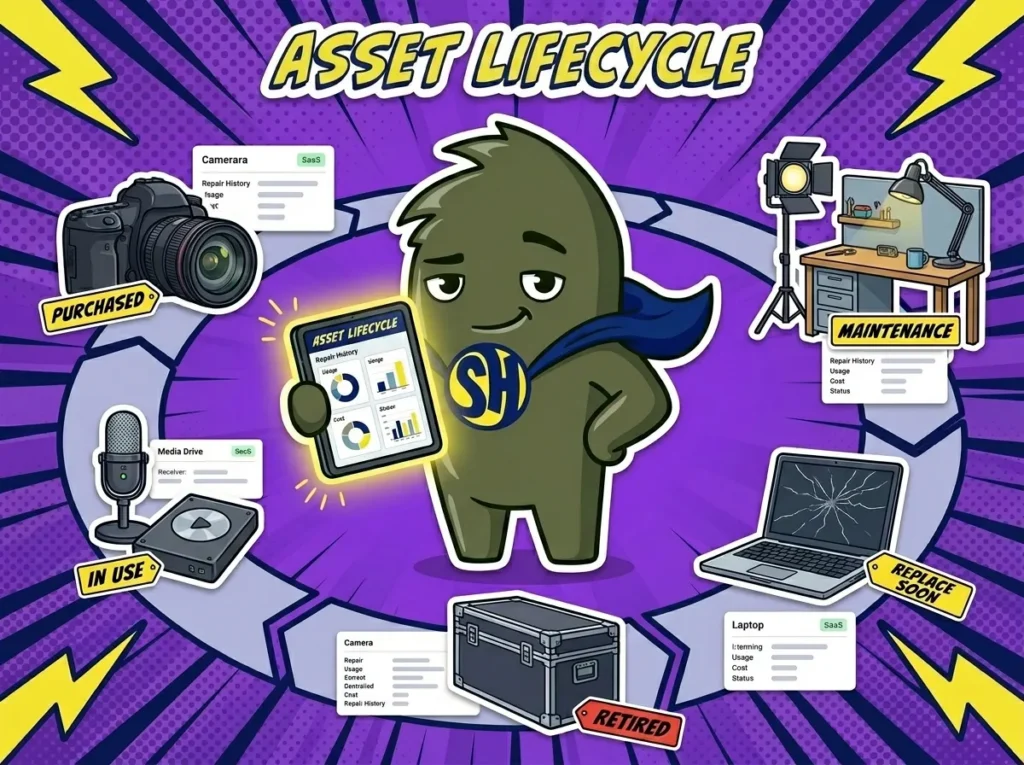
Asset lifecycle describes every stage a studio asset passes through while it belongs to the business. A camera body may start as a purchase request, move into inventory, get assigned to shoots, receive maintenance, lose value over time, and eventually get sold or retired. A media drive may be bought, labeled, checked out, used for client files, wiped, reused, archived, and then disposed of when it is no longer reliable.
In studios, assets are not only big purchases. They can include microphones, lights, lenses, laptops, cables, props, edit stations, hard drives, software seats, wardrobe items, and storage systems. Each one has a useful life, a cost, a status, and a history.
You may also hear asset lifecycle called asset life cycle, asset lifecycle management, equipment lifecycle, fixed asset lifecycle, or digital asset lifecycle. The wording changes by asset type, but the operational need stays the same. We need to know where an asset came from, how it is used, what it costs to maintain, and when it should be replaced.
Why Asset Lifecycle Matters in Studio Management
Asset lifecycle matters because studios often focus on the booking calendar but forget the long-term cost of the assets behind each booking. A lighting kit may generate revenue for three years, but only if it is inspected, repaired, stored correctly, and replaced before it starts failing on set. A camera may look profitable until the team counts repairs, accessories, insurance, downtime, and emergency rentals.
A clear lifecycle process supports better Inventory Management because each asset has a record beyond “owned” or “not owned.”
Asset lifecycle management helps studios:
- Know when a piece of gear is profitable, underused, overused, or ready to replace.
- Plan maintenance before failures interrupt shoots, sessions, or rentals.
- Track purchase price, repair cost, depreciation, and resale value.
- Avoid buying duplicate assets when existing gear is available but poorly tracked.
- Retire unsafe, outdated, or unreliable equipment before it damages a client job.
This matters for studio owners, production managers, equipment managers, finance teams, and producers. The studio cannot price work accurately if it does not understand the full cost and useful life of its assets.
How Asset Lifecycle Works in a Real Studio Workflow
A recording studio with six rooms and 40 sessions a week uses StudioHero to manage the lifecycle of microphones, interfaces, preamps, headphones, cables, instruments, and outboard gear. A studio owner buys four new microphones for vocal tracking. Each mic is added to inventory with its purchase date, vendor, serial number, cost, storage location, warranty details, and assigned category.
Because StudioHero connects lifecycle data with Equipment Tracking, the team can see how often each microphone is used, which room it is assigned to, and whether it has been checked out for off-site sessions. After six months, one microphone shows repeated notes for loose connections. The equipment manager flags it for repair instead of sending it into another client session.
The lifecycle record also connects to Studio Scheduling. If a microphone is blocked for service, coordinators can avoid assigning it to sessions until it returns. Producers can choose another mic before the artist arrives, rather than losing paid studio time during setup.
Over time, the studio owner can compare usage, repair history, and revenue tied to each asset. If two microphones are used daily and one sits unused for months, that informs future purchasing. If a unit costs more to repair than replace, the asset can move from active inventory to retired status.
Common Mistakes Studios Make With Asset Lifecycle
Asset lifecycle problems build slowly. A studio buys gear, uses it for years, repairs it when it breaks, and replaces it only after a job goes wrong. Without lifecycle tracking, nobody sees the full pattern until it costs money.
Common mistakes include:
- Tracking purchase dates but not usage, repairs, downtime, or replacement plans.
- Keeping old gear in active inventory even when it is unreliable.
- Buying new equipment without checking whether similar assets are underused.
- Forgetting digital assets, such as drives, software seats, project files, and storage systems.
- Treating maintenance as an emergency task instead of part of the asset’s planned life.
A strong lifecycle process gives the studio a working history for every important asset. That history helps teams decide what to repair, replace, rent, sell, insure, or remove from service.
How StudioHero Helps Studios Manage Asset Lifecycle
StudioHero is an all-in-one studio management software that helps studios manage the full asset lifecycle, from purchase and inventory setup to booking use, repair history, availability, and retirement. Instead of treating gear records, schedules, repairs, and cost notes as separate admin work, StudioHero connects them to daily studio operations.
StudioHero helps teams manage asset lifecycle through:
- Inventory Management that records asset details, categories, locations, accessories, and status.
- Equipment Tracking that shows check-out history, return status, missing items, damage, and repair needs.
- Production Management that connects assets to shoots, sessions, handoffs, approvals, and delivery work.
- Studio Budgeting and Studio Invoicing that help teams understand asset cost, billable use, repairs, rentals, and replacement decisions.
Frequently Asked Questions
What does asset lifecycle mean in a studio?
Asset lifecycle means the full history of a studio asset from the time it is bought, created, or added to inventory until it is retired, sold, archived, or disposed of. The asset may be physical equipment, a prop, a media drive, a software seat, or a digital file set. A useful lifecycle record shows cost, use, condition, repairs, location, and status.
What are the main stages of an asset lifecycle?
The main asset lifecycle stages are planning, purchase or creation, inventory setup, assignment, use, maintenance, storage, replacement planning, and retirement. In studio work, those stages may include check-out, check-in, repair notes, cleaning, testing, media wiping, insurance updates, resale, or disposal. The exact stages depend on whether the asset is equipment, software, media, props, or facilities.
Why is asset lifecycle management important for studios?
Asset lifecycle management helps studios control costs, prevent downtime, and make better buying decisions. Without it, teams may keep repairing old gear, buy duplicates, lose track of underused assets, or discover failures during paid client work. Lifecycle records show which assets earn their keep, which ones need maintenance, and which ones should be replaced before they create problems.
What is the difference between asset lifecycle and asset tracking?
Asset tracking shows where an asset is, who has it, and what its current status is. Asset lifecycle covers the wider history of that asset, including purchase, use, repairs, maintenance, depreciation, replacement, and retirement. Tracking is one part of the lifecycle. Lifecycle management gives studio owners a longer view of cost, usefulness, and risk.
What software helps studios manage asset lifecycle?
StudioHero helps studios manage asset lifecycle by connecting inventory records, equipment tracking, scheduling, production work, budgeting, and invoicing. Studios may also use accounting tools, repair logs, barcode labels, QR codes, spreadsheets, or media asset systems. The best setup ties each asset’s daily use to its long-term cost, condition, and replacement plan.