An Approval Workflow is a structured process for reviewing and signing off work before it moves forward. In studio management, it refers to approvals for bookings, budgets, edits, files, invoices, and client deliverables. It helps teams reduce rework, missed feedback, and unclear decisions.
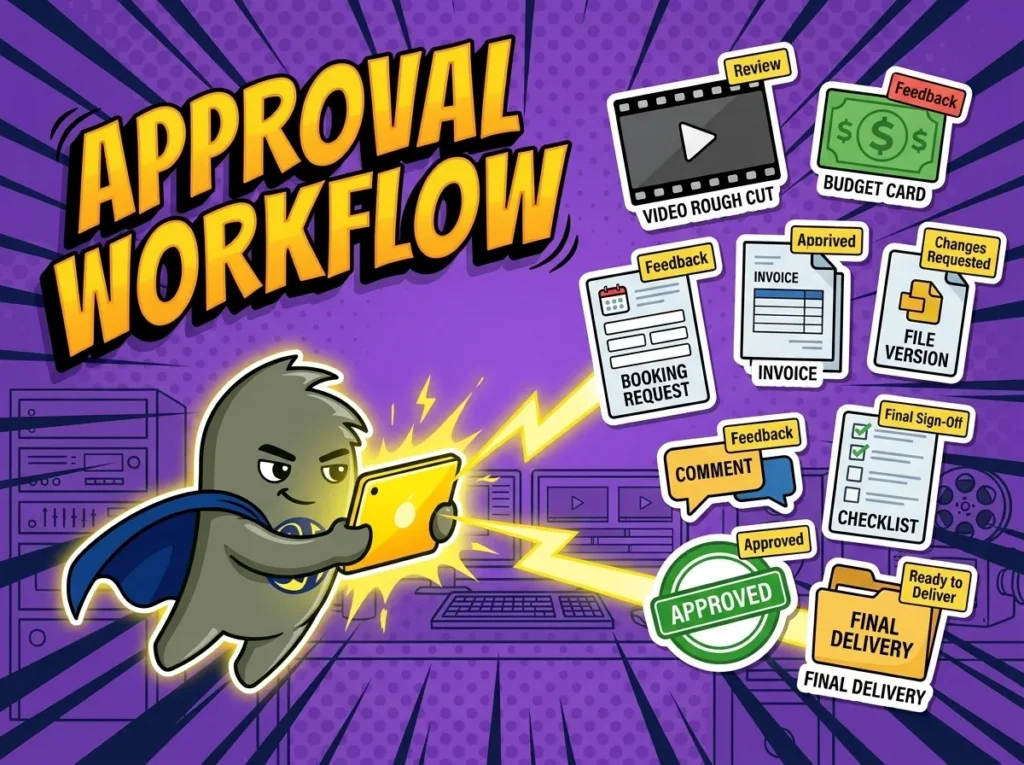
How Studios Use an Approval Workflow
An approval workflow gives studio teams a clear path for getting decisions made. It defines what needs approval, who must review it, what happens after feedback, and when the work can move to the next step. In a studio, that might include a client approving a booking request, a producer approving a shoot plan, a studio owner approving a budget, or a client signing off on a final edit.
Without an approval workflow, decisions often sit in email threads, chat messages, meeting notes, or someone’s memory. That makes it hard to know whether an edit is ready for delivery, whether a budget change was accepted, or whether a client has approved extra crew time.
You may also hear this called an approval process, review workflow, content approval workflow, production approval process, or client approval flow. The label changes by team, but the job stays the same: move work from draft to approved without losing feedback, time, or accountability.
Why Approval Workflows Matter in Studio Management
Approval workflows matter because creative work moves through many hands. A podcast episode may need producer review, client notes, legal approval, audio fixes, and final publishing approval. A video project may need a treatment, budget, schedule, rough cut, color pass, sound mix, and final master signed off by different people.
A clear approval workflow supports stronger Production Management because each review step is tied to the project, deadline, file, owner, and next action.
Approval workflows help studios:
- Stop work from moving forward before the right person has reviewed it.
- Reduce version confusion when clients and producers send feedback in different places.
- Track who approved a budget, edit, booking, invoice, or delivery file.
- Keep revision rounds visible before they affect the schedule or margin.
- Protect the studio when a client later questions a signed-off decision.
Approval workflows also help teams hold the line on scope. If a client asks for changes after final approval, the studio can see what was approved, when it was approved, and whether the new request should become billable work.
How an Approval Workflow Works in a Real Studio Workflow
A film and video production house managing 14 client projects a month uses StudioHero to track approval workflows from pre-production through final delivery. A client approves the creative treatment, then the producer sends the production schedule, crew plan, equipment list, and budget for internal review. The studio owner approves the budget before the coordinator confirms the shoot day.
Because StudioHero connects approvals with Studio Budgeting, the team can see whether added gear, overtime, location costs, or freelance crew have been approved before money is committed. If the client asks for a second camera operator, the producer sends the updated estimate for approval instead of absorbing the cost later.
During post-production, the editor uploads a rough cut for review. The producer adds notes, the client approves revision one, and the team tracks remaining changes before final delivery. Since the approval workflow is tied to Media Asset Management, everyone knows which file version is under review and which one has final approval.
When the project reaches billing, the approved scope, added costs, and delivery status feed into Studio Invoicing. The invoice is built from approved decisions rather than reconstructed from old messages.
Common Mistakes Studios Make With Approval Workflows
Approval workflows break when studios leave decisions loose. A producer may think the client approved a cut, while the client thinks they only gave informal feedback. A studio owner may assume the budget was approved, while the production manager is still waiting on a number.
Common mistakes include:
- Asking for approval without naming the exact item, file, budget, or version being reviewed.
- Letting feedback arrive across email, chat, calls, and notes without one project record.
- Moving to production before budget, crew, equipment, or client scope is approved.
- Treating silence as approval when the project needs a clear yes or no.
- Forgetting to connect late approvals with scheduling, billing, and delivery risk.
A good approval workflow does not need to be complicated. It needs clear owners, due dates, version labels, decision status, and a record of what was approved.
How StudioHero Helps Studios Manage Approval Workflows
StudioHero is an all-in-one studio management software that helps studios manage approval workflows across bookings, budgets, files, production tasks, and client deliverables. Instead of chasing decisions across inboxes and chat threads, teams can connect approvals to the actual work they affect.
StudioHero helps teams manage approval workflows through:
- Production Management that ties approvals to tasks, owners, deadlines, handoffs, and project status.
- Studio Budgeting that helps teams review and approve costs before they affect margin.
- Studio Invoicing that connects approved work, add-ons, rentals, revisions, and delivery items to billing.
- Media Asset Management that keeps review files, versions, comments, and final assets organized.
- Client Booking Portal that helps clients request, confirm, and approve studio work with less back-and-forth.
Frequently Asked Questions
What does approval workflow mean in studio management?
An approval workflow is the process a studio uses to review and sign off work before it moves forward. It can apply to bookings, budgets, shoot plans, crew requests, edits, files, invoices, and final deliverables. The workflow usually names the reviewer, due date, item under review, approval status, and next step after approval or rejection.
What should an approval workflow include?
A studio approval workflow should include the item being reviewed, the decision maker, the due date, the current version, the approval status, and the next action. For creative work, it should also show feedback, revision rounds, file links, and final sign-off. For financial approvals, it should show budget changes, added costs, scope changes, and billing impact.
What is the difference between an approval workflow and a review workflow?
A review workflow can include comments, feedback, notes, and revisions. An approval workflow ends with a decision, usually approved, rejected, or changes requested. In studio work, review often happens before approval. For example, a client may review a rough cut, request changes, review the next version, and then approve the final cut for delivery.
Who is responsible for approval workflows in a studio?
Approval workflows are usually managed by a producer, production manager, studio coordinator, operations manager, project manager, or studio owner. The approver depends on the item. A client may approve creative work, a studio owner may approve budgets, a producer may approve schedules, and a finance lead may approve invoices before they are sent.
What software helps studios manage approval workflows?
StudioHero helps studios manage approval workflows by connecting production tasks, budgets, invoices, booking requests, review files, and client approvals in one operating system. Studios may also use project management tools, file review tools, forms, spreadsheets, or email approvals. The stronger setup keeps each approval tied to the project, version, deadline, and billing outcome.